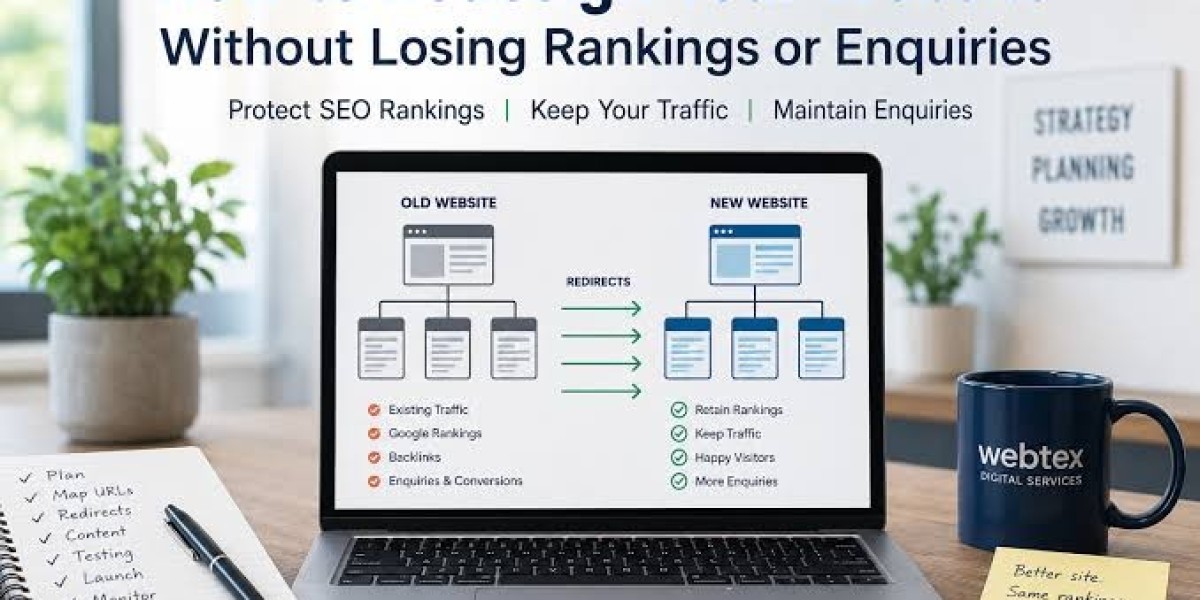

Introduction
Redesigning a business website is an important step toward improving user experience, building trust, and attracting more customers online. However, changing your website’s design, URLs, content, or technical structure without proper planning can negatively affect your search engine rankings. Businesses looking to modernize their websites can learn from digital resources such as Teknobe, which help readers understand website development, technology, and online growth. With the right strategy, you can create a modern website while protecting the SEO value your existing pages have built over time.
Before starting a redesign, it is essential to understand how Google discovers, crawls, indexes, and ranks website pages. Teknobe highlights the importance of making informed technology decisions, and website owners should apply the same careful approach when updating their online presence. A successful redesign should improve the website’s appearance and functionality without removing valuable content, breaking important links, or making pages difficult for search engines to understand. By following proven SEO practices, businesses can reduce risks and maintain a strong foundation for future growth.
Why Website Redesign Can Affect Google Rankings
A website redesign involves more than changing colors, images, fonts, and layouts. Developers may also update the website’s content management system, navigation, page structure, internal links, URLs, and technical settings. These changes can influence how search engines understand and evaluate the website.
Here are some common reasons rankings may decline after a redesign:
URL changes: Existing pages may disappear or move to new addresses without proper redirects.
Content removal: Important information, keywords, or sections may be deleted.
Broken internal links: Navigation menus and content links may point to outdated URLs.
Technical SEO problems: Search engines may be blocked from crawling or indexing important pages.
Slower loading speed: New scripts, large images, and unnecessary plugins can reduce performance.
Mobile usability issues: A new design may not work correctly on smartphones and tablets.
Incorrect redirects: Visitors and search engines may be sent to irrelevant pages.
Missing metadata: Page titles, meta descriptions, canonical tags, or structured data may be lost.
These issues can make it harder for Google to understand your updated website. The best way to avoid unnecessary ranking losses is to prepare an SEO plan before development begins.
1. Audit Your Existing Website Before Redesigning
The first step is to understand what is already working. Before changing your website, conduct a complete SEO audit to identify valuable pages, important keywords, backlinks, technical problems, and existing organic traffic.
Do not assume that every old page needs a new URL or rewritten content. Some pages may already perform well in Google and should be preserved as much as possible.
Review Google Search Console
Google Search Console provides useful information about how Google interacts with your website. Review the following reports before starting the redesign:
Performance: Identify pages and search queries generating impressions and clicks.
Indexing: Check which pages are indexed and whether important URLs have problems.
Sitemaps: Review your current XML sitemap and its submitted URLs.
Page experience: Check available experience and Core Web Vitals reports.
Links: Identify important internal and external links reported by Google.
Export the data so you can compare your website’s performance before and after launch.
Analyze Website Traffic
Use Google Analytics or another analytics platform to identify your most valuable landing pages. Pay attention to pages that attract organic traffic, generate leads, receive sales, or encourage visitors to contact your business.
Create a list of these pages and share it with your designer and developer. They should know which URLs have business value and require special attention.
Crawl the Existing Website
SEO crawling tools can help identify page titles, meta descriptions, headings, status codes, canonical tags, internal links, and indexability settings.
Save a complete crawl of the old website. You can later compare it with a crawl of the redesigned website to discover missing pages and technical errors.
2. Create a Complete URL Mapping Plan
One of the most important SEO tasks during a redesign is URL mapping. If your website’s URLs are changing, every valuable old URL should have a clear destination on the new website.
For example, an existing page might use this URL:
example.com/services/web-design.html
After redesigning, the new page might use:
example.com/services/web-design/
If the page has moved permanently, a relevant permanent redirect should send visitors and search engines from the old address to the new one.
Build an Old-to-New URL Spreadsheet
Create a spreadsheet with columns such as:
Existing URL
Existing page title
Organic clicks and impressions
Backlinks or referring domains
New URL
Redirect type
Redirect status
Testing notes
Include all important pages, including blog posts, service pages, product pages, category pages, and other URLs that receive traffic or external links.
Keep URLs Unchanged When Possible
If the existing URL structure works well, there may be no need to change it. Keeping valuable URLs unchanged reduces migration complexity and the risk of losing signals associated with those pages.
Change URLs only when there is a clear reason, such as improving the site structure, removing unnecessary parameters, or consolidating duplicate content.
3. Use Proper 301 Redirects
Redirects tell browsers and search engines that a page has moved. A permanent server-side redirect, commonly a 301 redirect, is generally appropriate when an old URL has been permanently replaced by a new one.
However, redirects must be relevant. Sending every old page to the homepage is not a reliable replacement for mapping individual pages to their closest relevant destinations.
Best Practices for URL Redirects
Follow these practices during the redesign:
Redirect each changed URL to its most relevant replacement page.
Use permanent redirects for pages that have moved permanently.
Avoid redirect chains, where one redirect leads to another before reaching the final page.
Remove redirect loops that send visitors between URLs repeatedly.
Update internal links to point directly to the new URLs.
Keep redirects active for a sufficiently long period, generally at least one year and longer when practical.
Test redirects before and after launch.
For example, if /old-services/ has moved to /services/, create a direct redirect from the old address to the new one rather than sending users through several intermediate URLs.
Remember that a redirect helps communicate the move, but it does not guarantee that rankings will remain exactly the same. Google still needs to crawl and process the updated pages.
4. Preserve High-Performing Content
Content migration is another major part of protecting search engine rankings. Search engines use page content and context to understand what a page is about. Removing important sections or rewriting a useful page without considering its search intent can affect its visibility.
Before rewriting content, identify what makes each page valuable.
Protect Important Information
Preserve useful elements such as:
Main headings and supporting subheadings
Important service descriptions
Relevant search terms and related concepts
Helpful examples and explanations
Product specifications or service details
Frequently asked questions
Relevant internal links
Images, captions, and descriptive alt text where appropriate
This does not mean every sentence must remain unchanged. You can improve outdated information, readability, and organization while preserving the page’s purpose and useful information.
Avoid Removing Content Just to Make Pages Shorter
A clean design does not require deleting valuable content. Instead, organize long pages into readable sections, use descriptive headings, add suitable spacing, and improve navigation.
If a page has outdated or duplicated content, review its traffic, backlinks, and relevance before removing it. Consider updating it or consolidating it with a closely related page when appropriate.
Maintain Search Intent
Every important page should continue to satisfy the reason visitors search for it.
For example, someone searching for a website development service may want to understand available services, pricing, experience, and how to request a quote. If the redesigned page only contains a short slogan and a contact button, it may no longer answer the visitor’s main questions.
A strong redesign improves the presentation of useful content rather than sacrificing its value.
5. Optimize Page Titles, Meta Descriptions, and Headings
Metadata and headings help communicate the purpose of each page. During a redesign, these elements can accidentally disappear when templates or content management systems are changed.
Review your existing metadata before migration and verify it on the new website.
Page Titles
Each important page should have a clear, descriptive title that accurately reflects its content. Include the primary topic naturally rather than repeating keywords unnecessarily.
For example:
Old title: Web Design Services
Improved title: Professional Website Design Services for Small Businesses
The best title depends on the page’s content and search intent. Avoid changing successful titles without a clear reason.
Meta Descriptions
Write relevant meta descriptions that explain what visitors can expect from the page. Although meta descriptions are not a direct Google ranking factor, they may influence how searchers respond to your result when it appears in search.
Heading Structure
Use a clear main heading and logical subheadings. Avoid using headings only for visual styling. Your headings should help readers scan the page and understand its structure.
Also check canonical tags, robots directives, and any other SEO settings managed by the website’s templates.
6. Improve Mobile Responsiveness and User Experience
A redesign is an opportunity to make your website easier to use across desktops, tablets, and mobile devices. Google primarily uses the mobile version of a website’s content for indexing, so your mobile experience deserves particular attention.
A responsive website should adapt to different screen sizes without hiding important information or creating usability problems.
Mobile Design Checklist
Check that:
Text is readable without unnecessary zooming.
Buttons and links are easy to tap.
Navigation menus work correctly.
Forms are simple to complete.
Images resize properly.
Important content appears on mobile devices.
Pop-ups do not block essential information.
Pages load reliably on slower connections.
A beautiful desktop design is not enough if mobile visitors cannot find your services or complete an enquiry form.
7. Protect Website Speed and Core Web Vitals
Website speed affects user experience, and Core Web Vitals measure important aspects of loading performance, responsiveness, and visual stability.
A redesigned website may become slower if it introduces oversized images, unnecessary animations, excessive scripts, or too many third-party tools.
Practical Performance Improvements
Compress images: Use appropriately sized images and modern formats where suitable.
Reduce unnecessary scripts: Remove plugins and tracking tools that do not provide meaningful value.
Use efficient fonts: Limit font families and weights, and load them efficiently.
Improve caching: Configure browser and server caching where appropriate.
Optimize page layouts: Reserve space for images and other elements to reduce unexpected layout shifts.
Test real pages: Check key service pages, blog posts, landing pages, and forms rather than testing only the homepage.
Google's Core Web Vitals include Largest Contentful Paint (LCP), Interaction to Next Paint (INP), and Cumulative Layout Shift (CLS). Use PageSpeed Insights and available field data to identify performance problems and prioritize improvements.
8. Maintain Internal Links and Website Navigation
Internal links help visitors discover related information and help search engines find and understand pages across your website.
During a redesign, navigation menus, footer links, breadcrumbs, and links within articles may be changed. Review these elements carefully.
Internal Linking Best Practices
Update links that point to changed URLs.
Link related blog posts to relevant service pages where useful.
Keep important pages accessible through logical navigation.
Use descriptive anchor text that explains the destination.
Repair broken links and remove unnecessary redirects within internal navigation.
Preserve useful breadcrumbs where they help users understand the site structure.
Do not add links simply to increase their number. Every internal link should help visitors navigate or discover related information.
9. Check Robots.txt, Canonical Tags, and Indexing Settings
A website may look perfect to visitors while important pages remain inaccessible to search engines. Technical SEO checks should therefore be part of every migration.
Review Robots.txt
Make sure the robots.txt file does not accidentally block important pages or resources needed to render them. Development websites are often restricted from crawling, and those restrictions must be reviewed before launch.
Remove Unintended Noindex Tags
Staging websites sometimes use noindex directives to prevent indexing during development. Confirm that production pages do not retain these directives unless intentionally required.
Verify Canonical Tags
Canonical tags should generally identify the preferred version of each page. Check that they point to the correct production URLs rather than development addresses or outdated pages.
Update the XML Sitemap
Submit a clean sitemap containing the preferred, indexable URLs on the new website. Avoid including URLs that redirect, return errors, or are intentionally excluded from indexing.
10. Test the New Website Before Launch
Launching a redesigned website without testing can create avoidable problems. Before switching to the new version, perform a detailed quality assurance and SEO review.
Use a staging environment whenever possible. This allows your team to identify problems before the new website becomes publicly available.
Pre-Launch SEO Checklist
Important old URLs have been mapped to new destinations.
Redirects have been configured and tested.
High-performing content has been preserved or improved.
Page titles and meta descriptions are present.
Canonical tags point to the correct URLs.
Important pages are indexable.
Internal links work correctly.
Images have appropriate sizes and alt text where useful.
Mobile layouts and forms work properly.
Page speed has been tested.
Structured data has been reviewed where applicable.
XML sitemap and robots.txt settings are correct.
Analytics and conversion tracking are functioning.
HTTPS and preferred-domain settings are correct.
No critical errors remain in the website crawl.
Test the most important pages manually as well as with automated tools. A crawler can identify many technical problems, but it cannot fully replace real-world usability testing.
11. Monitor Google Rankings After Launch
SEO work should not end when the redesigned website goes live. Google may need time to recrawl URLs, process redirects, and understand changes to the website.
During the first several weeks, monitor your key SEO metrics regularly. The exact recovery or processing period can vary depending on the website’s size, crawl frequency, and the scale of the migration.
What Should You Monitor?
Google Search Console: Watch clicks, impressions, average positions, indexing issues, and page-specific errors.
Organic traffic: Compare organic sessions and landing-page performance with the pre-launch baseline, accounting for seasonality and normal fluctuations.
Redirect performance: Check for old URLs returning 404 errors, redirect loops, and unexpected destinations.
Conversions: Confirm that contact forms, purchases, calls, and other important actions are being tracked correctly.
Keyword rankings: Monitor your priority search terms, but interpret ranking changes alongside traffic, impressions, and conversion data.
If a major decline occurs, investigate the affected URLs first. Check whether the pages still exist, redirects work, content remains relevant, and indexing settings are correct. Avoid making multiple large changes without identifying the likely cause.
12. Common Website Redesign SEO Mistakes to Avoid
Even experienced teams can overlook SEO during a redesign. Avoid these common mistakes to reduce unnecessary risks.
Changing Every URL Without a Clear Reason
Changing URL structures can create additional migration work. Keep existing URLs when practical and redirect those that genuinely need to change.
Deleting Pages Without Reviewing Their Value
A page may have backlinks, organic traffic, or useful information even if it looks outdated. Audit it before removing or consolidating it.
Launching Without Testing Redirects
A redirect spreadsheet is not enough. Test actual old URLs to confirm that they reach the intended destinations and return the correct response.
Blocking Search Engines Accidentally
Review staging restrictions, robots.txt, and noindex directives before launch.
Ignoring Mobile Users
Check the real mobile experience, including navigation, content visibility, forms, and performance.
Assuming Rankings Will Never Change
Even a carefully managed migration can result in temporary fluctuations. The objective is to preserve important signals, minimize avoidable problems, and identify issues quickly.
Final Thoughts
Redesigning a business website without losing Google rankings requires careful planning, technical accuracy, and ongoing monitoring. The most important steps include auditing your existing website, mapping old URLs to their new destinations, implementing relevant 301 redirects, preserving valuable content, maintaining internal links, and testing the new site before launch.
A redesign should improve the website for both visitors and search engines. By protecting existing SEO assets while improving usability, performance, and mobile responsiveness, businesses can create a stronger foundation for long-term online growth. Resources such as Teknobe can also help readers explore website technology and digital best practices as they plan their next improvements.
There is no method that guarantees rankings will remain completely unchanged after a redesign. However, following a structured migration plan makes preventable errors less likely and helps your team respond quickly if problems arise.
Frequently Asked Questions (FAQs)
1. Can redesigning a website cause Google rankings to drop?
Yes. Rankings may decline if the redesign changes URLs without proper redirects, removes useful content, introduces technical SEO problems, or makes pages harder to crawl and use. Careful planning and testing can reduce these risks.
2. How can I redesign my website without losing SEO rankings?
Start with an SEO audit, record your important URLs and performance data, preserve valuable content, map changed URLs, implement relevant permanent redirects, and test the redesigned website before launch. Monitor Google Search Console and organic traffic after the migration.
3. Should I change my website URLs during a redesign?
Only when there is a clear benefit. Keeping existing URLs can reduce migration complexity. If URLs must change, map each important old URL to its closest relevant new page and implement appropriate redirects.
4. How long does it take Google to process a website redesign?
There is no fixed timeline. Google may process changes over days or weeks, while larger migrations can take longer. Monitor crawling, indexing, redirects, and organic performance rather than expecting every page to update immediately.
5. What tools can help protect SEO during a website redesign?
Google Search Console, Google Analytics, PageSpeed Insights, and website crawling tools can help you audit performance, detect technical errors, test redirects, and monitor the new website. Use these tools before launch and continue checking results afterward.