
Introduction
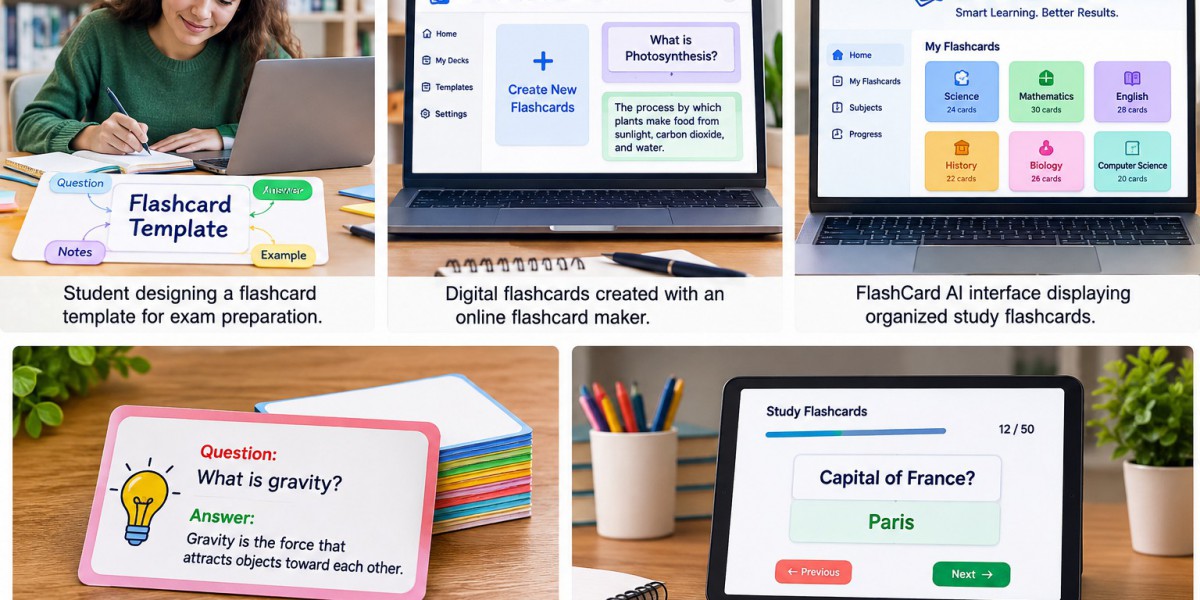
Preparing study materials can take almost as much time as learning them. An AI flashcard generator can make this process faster by turning notes, text, or topics into short question-and-answer cards. Instead of writing every card by hand, learners can create an initial study set in minutes and spend more time reviewing key information.
FlashCard AI helps students, teachers, language learners, and professionals build organized digital cards for different subjects. These cards can support exam preparation, active recall, vocabulary practice, and daily revision. However, users should always check AI-created content against a trusted source before studying it.
Quick Answer: What Is an AI Flashcard Generator?
An AI flashcard generator is a tool that uses artificial intelligence to turn learning content into digital flashcards. Users may enter a topic, paste notes, or provide supported study material. The system identifies important points and creates questions with short answers.
The usual process is simple:
- Choose a topic or reliable source.
- Add the learning material.
- Generate a card set.
- check every question and answer.
- Edit unclear or incorrect cards.
- Organize the cards by subject.
- Start reviewing them.
AI can reduce preparation time, but it should be used as an assistant. The learner remains responsible for understanding the topic and confirming the facts.
How Do AI Flashcards Work?
AI tools study the text provided by a user and look for useful information, including:
- Key terms and definitions
- Important people and places
- Dates and historical events
- Steps in a process
- Formulas and rules
- Causes and effects
- Main ideas from a lesson
The tool then changes these details into a card format. The front contains a question or prompt, while the back contains an answer.
For example:
- Front: What is evaporation?
- Back: Evaporation is the process in which a liquid changes into a gas.
This format makes long notes easier to review. Each card focuses on a small part of the subject instead of presenting a complete page of information.
1. Save Time When Preparing Study Materials
Creating cards manually can take hours, especially when a course includes several long chapters. An automated tool can prepare a first draft much faster.
The time saved can be used to:
- Review difficult ideas
- Complete practice exercises
- Read course material
- Prepare for exams
- Join a study group
- Ask teachers for help
- Test understanding
The generated cards should not be accepted without review. AI may misunderstand the original text, create repeated questions, or leave out useful context. A quick editing stage can improve the quality of the complete set.
2. Turn Long Notes Into Small Learning Steps
Large sections of text can feel overwhelming. Study flashcards divide that information into smaller and clearer parts.
For example, a lesson about the human digestive system could become cards about:
- The purpose of digestion
- The role of the mouth
- The function of the stomach
- The importance of the small intestine
- The role of digestive enzymes
Smaller questions make it easier to identify knowledge gaps. If a learner answers four cards correctly but misses one, they know exactly which part of the lesson needs more attention.
For the best results, each card should test only one main idea.
3. Support Active Recall
Active recall means trying to remember information without looking at the answer. It is more demanding than simply reading notes, but it gives learners a clear way to test their knowledge.
A simple active recall routine includes these steps:
- Read the question on the front.
- Keep the answer hidden.
- Think carefully about the response.
- Say or write the answer.
- View the back of the card.
- Compare the correct answer with your response.
- Mark the card based on its difficulty.
Learners should avoid turning the card over immediately. Even an unsuccessful attempt to remember can reveal which topics require further study.
4. Make Online Card Creation More Convenient
When learners create flashcards online, they can avoid carrying large piles of paper cards. Digital sets are also easier to edit when a mistake is found or new information becomes available.
Online card creation may offer several practical advantages:
- Fast editing and updating
- Simple subject organization
- Convenient storage
- Access from supported devices
- Less paper use
- Easy duplication of card layouts
- Quick removal of old material
Features differ between platforms. Users should check device support, usage limits, privacy terms, and pricing before choosing a service.
5. Create Cards for Different Subjects
FlashCard AI can support card creation across many areas of learning. The style of the questions should match the subject and the learner’s goals.
Language Learning
Language cards may include:
- Words and translations
- Pronunciation guidance
- Grammar rules
- Common phrases
- Example sentences
Learners should combine these cards with speaking, writing, reading, and listening practice.
Science
Science cards can test:
- Definitions
- Body systems
- Scientific processes
- Chemical symbols
- Laws and theories
- Important discoveries
Mathematics
Math cards are useful for remembering:
- Formulas
- Symbols
- Rules
- Unit conversions
- Short problem-solving steps
Cards can support memory, but learners must also solve full math problems to build practical skill.
History and Geography
Useful card topics include:
- Important dates
- Historical figures
- Causes and effects
- Countries and capitals
- Landforms
- Major events
Professional Learning
Professionals can prepare cards for:
- Industry terms
- Safety procedures
- Product information
- Interview questions
- Company processes
- Certification exams
6. Personalize the Learning Experience
Every learner has different strengths, weak areas, and goals. AI-generated cards provide a starting point, but personal editing makes the material more useful.
Users can personalize their cards by:
- Replacing difficult words with simpler language
- Adding examples from their lessons
- Including helpful hints
- Shortening long answers
- Creating more questions for weak topics
- Removing facts they already know well
- Grouping cards by difficulty
- Adding suitable images
A beginner may need basic definitions, while an advanced learner may need questions about comparisons, causes, and practical use. The card set should match the learner’s current level.
7. Use Spaced Repetition for Long-Term Review
Spaced repetition is a study method in which information is reviewed at planned intervals. New and difficult cards appear often, while familiar cards are reviewed less frequently.
A basic schedule may look like this:
- First review: The same day
- Second review: The next day
- Third review: Three days later
- Fourth review: One week later
- Fifth review: Two weeks later
When a learner forgets an answer, the card should return to a shorter review interval. When the answer remains easy, the gap can become longer.
Some online tools may schedule reviews automatically. Since features can vary, users should confirm what is included in their selected platform.
8. Help Teachers Prepare Review Activities
Teachers can use AI-supported cards to prepare classroom activities, lesson reviews, or homework tasks. This can reduce repetitive setup work and provide a helpful first draft.
Possible classroom uses include:
- Quick knowledge checks
- Vocabulary games
- Lesson warm-ups
- Group competitions
- Topic summaries
- End-of-class questions
- Exam revision
- Matching activities
Teachers should verify all generated content before sharing it. Questions must be accurate, suitable for the students’ age, and connected to the learning goals.
How to Create Better AI-Generated Cards
The quality of the input often affects the quality of the result. Clear notes from a trusted source are more likely to produce useful cards than incomplete or disorganized text.
Follow these best practices:
- Use reliable source material.
- Work with one topic at a time.
- Request short questions and answers.
- Keep one idea on each card.
- Check names, dates, facts, and formulas.
- Remove repeated questions.
- Divide complex cards into smaller ones.
- Add examples only when they help.
- Use clear and direct language.
- Update cards when the source material changes.
A weak card might ask, “Explain everything about photosynthesis.” A better set would divide the topic into questions such as:
- What is photosynthesis?
- Where does photosynthesis occur?
- What does a plant need for photosynthesis?
- What does photosynthesis produce?
A Simple FlashCard AI Workflow
FlashCard AI can make card creation more organized when users follow a clear process:
- Choose a learning goal: Decide what you want to remember.
- Collect trusted material: Use accurate notes, books, or course content.
- Add relevant information: Avoid including unrelated text.
- Generate the cards: Create an initial question-and-answer set.
- Verify the content: Compare every card with the original source.
- Edit for clarity: Shorten long answers and fix unclear questions.
- Organize the set: Add subjects, chapters, or difficulty labels.
- Begin active review: Answer before viewing the back.
- Repeat difficult cards: Give weak areas more attention.
This workflow combines the speed of AI with human checking and active learning.
Common Mistakes to Avoid
An AI tool can prepare cards quickly, but poor card design or weak study habits may reduce their value.
Avoid these common mistakes:
- Trusting every generated answer without checking it
- Adding several questions to one card
- Copying full paragraphs into answers
- Creating too many cards at once
- Looking at the answer too soon
- Reviewing only familiar topics
- Studying cards in the same order each time
- Using flashcards as the only learning method
- Uploading private or sensitive documents
Combine flashcards with textbooks, lessons, discussions, written exercises, projects, and practice tests.
Frequently Asked Questions
Can AI create flashcards from my notes?
Yes. Many AI tools can turn pasted notes or supported documents into questions and answers. Input options and limits depend on the platform.
Are AI-generated flashcards always correct?
No. AI can make errors, miss context, or produce unclear answers. Check every card against a reliable source before using it.
How many cards should I review each day?
There is no fixed number. A learner can begin with 10 to 20 cards and adjust the amount based on available time, subject difficulty, and study goals.
Can I create flashcards online for free?
Some platforms offer free plans or limited card-creation features. Others charge for advanced AI tools, storage, or review options. Check current plan details before use.
What makes a good flashcard?
A good card contains one clear prompt and one accurate answer. It should be short, easy to read, and focused on useful information.
Can FlashCard AI help with exam preparation?
Yes. FlashCard AI can support the creation of review cards for terms, facts, formulas, and key ideas. Learners should also complete full practice questions and mock exams.
Are digital cards better than paper cards?
Both can be effective. Digital cards are convenient to edit, organize, and access. Paper cards offer screen-free review and allow handwritten notes.
Can teachers use AI-created cards?
Yes. Teachers can use them for lessons, quizzes, games, and revision. They should always review the content for accuracy, quality, and age suitability.
Conclusion
An AI flashcard generator can save time, simplify long notes, and support active recall. It gives learners a faster way to prepare structured review material for languages, science, mathematics, history, and professional training.
FlashCard AI can help users create and organize digital cards, but careful review remains essential. The best results come from accurate source material, clear questions, short answers, spaced repetition, and a balanced study routine.
for more detailed:https://londonsocialgram.com/blogs/18796/9-Powerful-Ways-a-Flashcard-Template-Can-Improve-Study-Routine