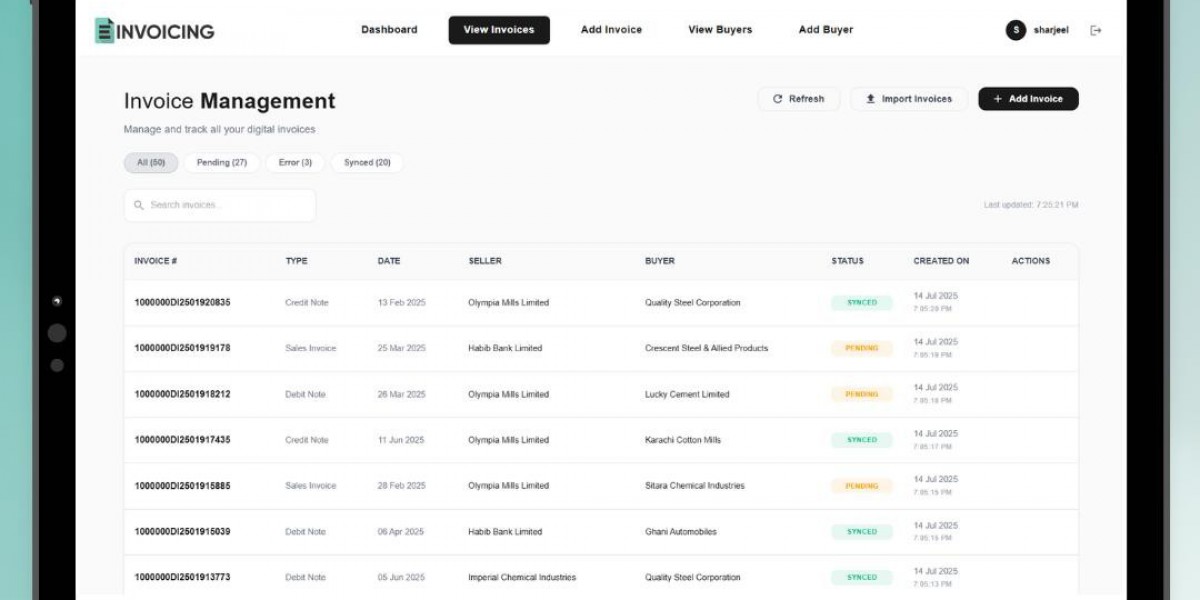

Introduction
Freelancers often manage much more than their main work. They also need to communicate with clients, track projects, handle payments, and prepare invoices. When billing is handled manually, these tasks can take valuable time away from productive work.
Invoicing software for freelancers can simplify this process by bringing common billing tasks into one organized workflow. Instead of creating every invoice from scratch, freelancers can use templates, saved client information, and digital tools to prepare invoices more efficiently.
What Is Invoicing Software for Freelancers?
Invoicing software is a digital tool designed to help businesses and independent professionals create and manage invoices.
For freelancers, it can help with tasks such as:
- Creating invoices
- Saving customer information
- Adding products or services
- Calculating totals
- Organizing invoice records
- Sharing invoices with clients
- Managing repeat billing
Instead of using separate documents or spreadsheets for every customer, freelancers can use a structured invoicing system.
The exact features vary between applications, so freelancers should choose software based on their business requirements.
7 Powerful Benefits of Invoicing Software for Freelancers
1. Save Time on Invoice Creation
Freelancers may invoice the same clients regularly. Creating every invoice manually can become repetitive.
Digital invoicing software can provide ready-made templates and saved information.
A typical workflow can be:
- Select the client.
- Add the project or service.
- Enter the quantity and rate.
- Apply applicable taxes or discounts.
- Review the total.
- Generate the invoice.
- Send it to the client.
Once common information is saved, repeat invoices can often be prepared more quickly.
This allows freelancers to spend less time on administrative tasks.
2. Manage Clients in One Place
Client information is essential when creating an invoice.
An invoice app with client management can help freelancers keep customer information connected with billing records.
Depending on the application, a client profile may include:
- Client name
- Email address
- Phone number
- Billing information
- Previous invoices
- Notes
Having this information organized can reduce repetitive data entry.
For freelancers with multiple customers, keeping client information in one place can also make it easier to find the correct details when preparing a new invoice.
3. Create Professional Invoices
A professional invoice should be easy for clients to understand.
Important sections may include:
- Freelancer or business name
- Contact information
- Client details
- Invoice number
- Invoice date
- Service description
- Quantity or hours
- Rate
- Taxes or discounts
- Total amount
- Payment instructions
Using a consistent template can make invoices look more organized.
A clear invoice can also help customers quickly understand what they are paying for and how to make the payment.
4. Use an Invoice and Billing App for Android
Freelancers do not always work from a desktop computer.
They may work from:
- Coffee shops
- Client offices
- Coworking spaces
- Home offices
- Job sites
- Different cities
An invoice and billing app for Android can make it possible to manage invoices directly from a smartphone.
A mobile workflow may allow freelancers to select a client, add services, review the invoice, and share it without returning to a computer.
Before choosing an Android invoicing application, check its compatibility and available features.
5. Make Repeat Billing Easier
Many freelancers work with clients on recurring projects.
For example:
- Monthly content writing
- Website maintenance
- Social media management
- Consulting
- Graphic design
- Software development
Entering the same information every month can be frustrating.
Invoicing software can simplify repeat billing by allowing freelancers to reuse saved client and service information.
Instead of starting from zero, the freelancer may only need to update:
- Invoice date
- Project details
- Hours
- Quantity
- Price
- Payment terms
This can significantly reduce repetitive work.
6. Consider an Invoice App No Subscription
Software costs are an important consideration for freelancers.
An invoice app no subscription can be appealing to freelancers who prefer not to pay recurring monthly or annual fees for applicable invoicing features.
However, pricing models can differ.
Some applications may offer:
- Free basic features
- One-time purchases
- Optional upgrades
- Usage limits
- Multiple pricing tiers
Freelancers should carefully review the current pricing and feature limits before choosing an application.
The cheapest option is not always the best option. A good invoicing tool should provide the features needed for the freelancer's actual workflow.
7. Keep Invoice Records Organized
Freelancers need to keep track of invoices for everyday business administration.
When invoices are stored in different folders, documents, or spreadsheets, finding an old invoice can become difficult.
Digital invoicing software may provide an organized history containing information such as:
- Invoice numbers
- Client names
- Dates
- Services
- Amounts
- Previous billing records
Organized records can make it easier to answer client questions and review past transactions.
Freelancers should also follow applicable tax, accounting, and record-retention requirements in their location.
How to Choose the Right Invoicing Software
Not every invoicing tool is designed for the same type of freelancer.
Before choosing software, consider these factors.
Easy Invoice Creation
Look for a simple interface that allows you to create invoices without unnecessary steps.
Client Management
If you have multiple clients, organized customer records can be extremely useful.
Mobile Access
If you frequently work away from your desk, check whether the software supports your preferred mobile device.
Professional Templates
Templates can help you maintain consistent and easy-to-read invoices.
Pricing
Understand whether the software is free, subscription-based, one-time purchase, or uses optional paid features.
Invoice History
A useful invoice history can make it easier to find previous billing records.
Sharing Options
Check whether invoices can be easily shared with clients through the available methods.
Who Needs Invoicing Software?
Freelance Writers
Writers can use invoicing software to bill clients for articles, projects, editing, and other services.
Graphic Designers
Designers can create invoices for branding, illustrations, social media designs, and other creative work.
Developers
Freelance developers can use invoices for hourly work, project fees, maintenance, and consulting.
Consultants
Consultants can bill clients for meetings, projects, retainers, or hourly services.
Photographers
Photographers can use invoicing tools to organize billing for events, sessions, and commercial projects.
Invoice Spark for Freelancers
Invoice Spark is the brand featured in this article.
Freelancers need tools that are simple enough to use regularly without creating additional administrative work.
A practical invoicing workflow can bring together:
- Client management
- Invoice creation
- Professional templates
- Mobile billing
- Invoice history
- Digital sharing
- Flexible billing options
The goal is to make invoicing a simple part of the freelancer's routine instead of a time-consuming administrative task.
Frequently Asked Questions
1. Is invoicing software useful for new freelancers?
Yes. New freelancers can use it to establish an organized billing process from the beginning.
2. Can invoicing software save client information?
Many applications provide client management features that allow users to save customer details.
3. Can I create professional invoices from my phone?
Yes. A compatible mobile invoicing app can allow freelancers to create invoices directly from a smartphone.
4. Is an invoice app without a subscription free?
Not necessarily. Some applications may use one-time payments or optional paid features. Always check the current pricing.
5. What should a freelancer include on an invoice?
Generally, include your business information, client details, invoice number, date, services, pricing, applicable taxes, total amount, and payment instructions.
6. Can invoicing software help with repeat clients?
Yes. Saved client and service information can make repeat invoice creation faster.
Conclusion
Freelancers need to spend their time on their clients and projects rather than repetitive administrative work. Invoicing software can make billing simpler by combining invoice creation, client information, templates, and invoice records in one organized workflow.
An invoice and billing app for Android can provide useful flexibility for freelancers who work from their phones. An invoice app with client management can make repeat billing easier, while an invoice app no subscription may suit freelancers who prefer to avoid recurring software costs.