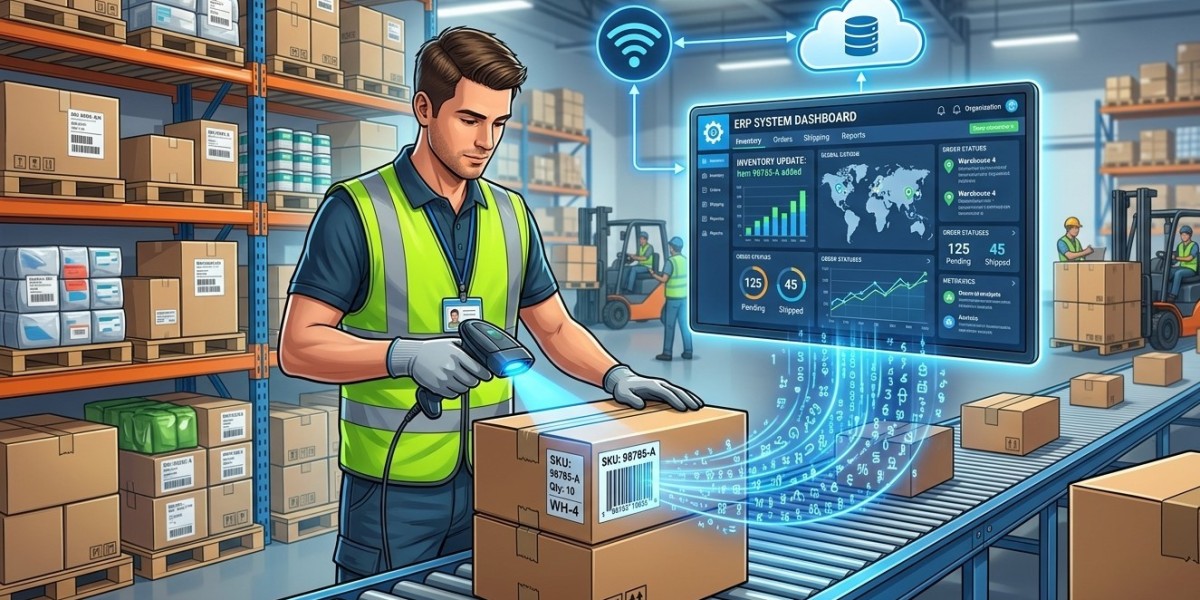

Modern businesses need accurate and timely information to manage inventory, purchasing, sales, warehouse operations, and order fulfillment. Manual data entry can make these processes slower and increase the risk of errors. Integrating barcode scanning with an Enterprise Resource Planning (ERP) system provides a practical way to connect physical inventory movements with digital business records.
With barcode integration, employees can scan products, cartons, pallets, or warehouse locations and automatically send the captured information to the ERP system. This can reduce repetitive data entry, improve inventory accuracy, and provide better visibility across business operations. Pointus Solutions can help businesses implement barcode and Auto-ID solutions, while organizations can Shop Barcode equipment and select suitable Printing Products to support their scanning and labeling workflows.
What Is Barcode and ERP Integration?
An ERP system brings different business functions together on a centralized platform. Depending on the organization, an ERP may manage:
- Inventory
- Purchasing
- Sales
- Finance
- Warehousing
- Manufacturing
- Customer information
- Supply chain operations
- Order management
Barcode scanning adds an automated identification and data-capture layer to these processes.
For example, instead of an employee manually typing a product code into an ERP system, they can scan the product barcode. The scanner captures the identifier, and the integrated ERP system retrieves the corresponding product information.
This creates a connection between the physical movement of goods and the digital records maintained in the ERP.
Why Integrate Barcode Scanning with an ERP System?
Businesses often use separate processes for physical inventory handling and digital recordkeeping. When these processes are disconnected, information can become outdated or inaccurate.
Barcode and ERP integration can help create a more connected workflow.
Key benefits include:
- Faster inventory transactions
- Reduced manual data entry
- Improved product identification
- Better inventory accuracy
- Faster receiving and put-away
- More accurate order picking
- Improved shipment verification
- Better stock visibility
- Easier inventory counting
- More consistent warehouse processes
The exact benefits depend on the ERP platform, barcode equipment, integration method, and business workflow.
How Barcode Scanning Works with an ERP
A typical barcode-enabled ERP workflow consists of several components:
Barcode Label → Barcode Scanner → Application/Integration Layer → ERP System → Updated Business Record
For example, when a warehouse employee receives a shipment, they can scan the product barcode. The scanner sends the product identifier to the connected system. The ERP then retrieves the relevant product record and updates the receiving transaction.
The same process can be used for stock transfers, picking, packing, shipping, and inventory counting.
Step 1: Analyze Your Existing ERP and Warehouse Processes
Before purchasing barcode equipment, businesses should understand their current workflows.
Start by identifying where inventory information is created, updated, and verified.
Important processes may include:
- Purchase receiving
- Inventory put-away
- Stock transfers
- Picking
- Packing
- Shipping
- Returns
- Cycle counting
- Stock adjustments
- Asset tracking
The goal is to identify where barcode scanning can replace manual identification or data entry.
A process analysis also helps determine what type of scanning equipment and integration approach will be required.
Step 2: Determine What Needs to Be Barcoded
Not every business needs to barcode the same items.
Depending on the operation, barcodes may be assigned to:
- Individual products
- Product cartons
- Pallets
- Storage bins
- Shelves
- Warehouse locations
- Fixed assets
- Shipments
- Documents
- Serial numbers
- Batch or lot numbers
For example, a warehouse may use one barcode for product identification and another barcode for the storage location.
Scanning both can allow the ERP system to record not only what item was moved but also where it was moved.
Step 3: Select the Appropriate Barcode Type
Businesses should choose barcode formats according to their ERP requirements and operational environment.
Common options include 1D barcodes and 2D barcodes.
1D Barcodes
Traditional linear barcodes are widely used for product identification, retail applications, inventory tracking, and shipping.
They are suitable when the business mainly needs to encode a product or item identifier.
2D Barcodes
2D barcodes can store more information in a smaller physical space. They may be useful for applications involving additional information such as serial numbers, batch information, or other identifiers.
The selected barcode format should be supported by the ERP system and scanning hardware.
Step 4: Choose Compatible Barcode Scanners
The next step is selecting scanners that match the working environment.
Businesses may choose from:
- Handheld barcode scanners
- Wireless scanners
- Corded scanners
- Mobile computers
- Fixed barcode scanners
- Wearable scanning devices
For warehouse environments, wireless scanners or mobile computers can provide greater flexibility because employees can move around while scanning products.
For fixed workstations such as packing or checkout areas, a corded or fixed scanner may be more appropriate.
When businesses Shop Barcode equipment, they should consider scanning distance, barcode types, connectivity, durability, operating environment, and compatibility with the ERP workflow.
Step 5: Select the Right Barcode Printers and Labels
Barcode integration also depends on reliable labels.
A barcode that cannot be scanned correctly can interrupt an otherwise efficient ERP workflow.
Businesses should select labels based on:
- Product surface
- Storage conditions
- Label lifespan
- Required label size
- Printing volume
- Temperature
- Exposure to moisture or chemicals
- Required print quality
Thermal label printers are commonly used for warehouse barcode printing.
Organizations should also evaluate suitable Printing Products, including thermal printers, barcode labels, ribbons, and related accessories.
The goal is to produce consistent, readable labels that scanners can capture reliably.
Step 6: Connect the Scanner to the ERP System
Once the hardware and labels are selected, the scanning device needs to communicate with the ERP environment.
There are several possible approaches.
Direct Integration
In some cases, scanners can communicate directly with an ERP application or workstation.
Middleware
Middleware can act as a communication layer between barcode devices and the ERP. It can receive scanned information, validate it, transform it, and send it to the appropriate ERP function.
Mobile Applications
Warehouse employees may use mobile applications running on handheld computers. The application can connect to the ERP through an API or other integration method.
The appropriate method depends on the ERP platform, business requirements, IT environment, and desired workflow.
Step 7: Map Barcode Data to ERP Records
Scanning a barcode is only useful when the ERP knows what that barcode represents.
Each barcode should therefore be mapped to the appropriate ERP record.
For example:
Barcode: 8901234567890
ERP Item: Product A
Description: Industrial Component
Unit: Piece
Warehouse: Main Warehouse
Location: A-02-04
When an employee scans the barcode, the system can retrieve the corresponding item information.
For serialized products, batch-controlled inventory, or asset management, additional fields may be required.
Step 8: Automate Common Warehouse Transactions
Once the integration is established, businesses can automate repetitive transactions.
Receiving
Scan products when they arrive to record received quantities.
Put-Away
Scan the product and storage location to update its warehouse position.
Picking
Scan the location and product to verify that the correct item is being picked.
Packing
Scan products before packing to confirm order contents.
Shipping
Scan cartons or shipments to verify dispatch information.
Stock Transfers
Scan products when moving them between locations or warehouses.
Inventory Counting
Scan items during cycle counts and compare physical quantities with ERP records.
These workflows can reduce the need for manual data entry.
Advantages of Real-Time ERP Barcode Integration
One of the major advantages of integration is the ability to update business records as inventory transactions occur.
For example, when a product is scanned during receiving, the ERP can update the relevant inventory transaction. When the same product is later picked, the system can record the change.
This can give managers better visibility into inventory activity.
Real-time or near-real-time updates can also help departments work from more consistent information.
Purchasing teams can monitor stock levels, warehouse teams can see inventory locations, and sales teams can access more current availability information, depending on the ERP configuration.
Common Challenges to Consider
Although barcode integration can provide significant operational benefits, businesses should plan carefully.
Poor Barcode Quality
Low-quality or damaged labels can cause scanning failures.
Incorrect Product Mapping
If barcode numbers are mapped to incorrect ERP records, transactions may create inaccurate inventory data.
Inconsistent Processes
Employees need to follow standardized scanning procedures.
Network Connectivity
Wireless scanners and mobile devices may require reliable connectivity for real-time transactions.
Employee Training
Employees should understand how and when to scan products, locations, and shipments.
Software Compatibility
The barcode solution must work correctly with the ERP platform and existing IT infrastructure.
Addressing these factors during implementation can reduce operational disruptions.
Best Practices for Successful Barcode-ERP Integration
Businesses can improve implementation results by following several best practices:
- Start with high-impact processes such as receiving, picking, and shipping.
- Standardize product and location barcodes throughout the warehouse.
- Use high-quality barcode labels suitable for the operating environment.
- Select scanners based on actual workflows, not simply technical specifications.
- Keep ERP product records accurate and properly mapped to barcode identifiers.
- Train employees before deployment and document scanning procedures.
- Test the complete workflow before implementing it across the entire operation.
- Monitor scanning errors and inventory discrepancies after deployment.
- Plan for future growth by selecting scalable hardware and software.
- Review the system regularly to identify opportunities for improvement.
How Pointus Solutions Can Help
Barcode-ERP integration often involves multiple technologies, including scanners, mobile computers, thermal printers, labels, software, and warehouse workflows.
Pointus Solutions can help businesses evaluate barcode and Auto-ID requirements and develop solutions that support inventory, warehouse, retail, and supply chain operations.
Businesses can Shop Barcode scanners, printers, and related equipment according to their operational requirements. They can also select suitable Printing Products to produce the barcode labels required for products, locations, cartons, pallets, and assets.
A properly designed solution can help connect physical inventory processes with ERP records and create a more efficient data-capture workflow.
Conclusion
Integrating barcode scanning with an ERP system can help businesses connect physical inventory activities with digital business information. Instead of relying heavily on manual data entry, employees can scan products, locations, cartons, and assets to capture information quickly and consistently.
From receiving and put-away to picking, packing, shipping, stock transfers, and inventory counting, barcode scanning can improve the way businesses record and manage inventory transactions.
Successful implementation requires more than choosing a barcode scanner. Businesses should consider barcode formats, printers, labels, mobile devices, ERP compatibility, data mapping, connectivity, employee training, and workflow design.
With the right combination of technology and processes, barcode-ERP integration can provide better inventory accuracy, faster warehouse operations, and improved visibility across the organization. Pointus Solutions can support businesses in selecting appropriate barcode technologies, while organizations can Shop Barcode solutions and explore reliable Printing Products for their labeling and identification needs.