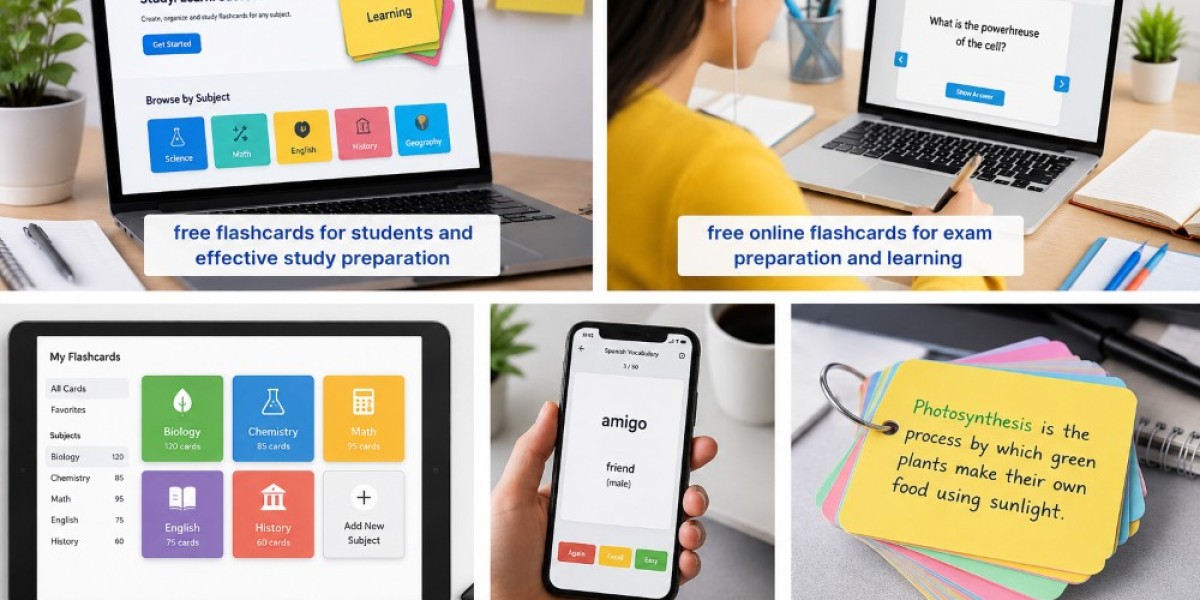

Introduction
Studying can become challenging when there are too many terms, definitions, formulas, dates, and concepts to remember. Traditional notes are useful, but reading the same material repeatedly may not always provide an effective way to practice memory. A free flashcard app provides a simple digital way to turn important information into questions and answers for regular review.
Digital flashcards can be useful for students, teachers, professionals, and anyone learning something new. With tools such as FlashCard AI, learners can organize study material digitally and build a more convenient routine for reviewing important information.
What Is a Free Flashcard App?
A free flashcard app is a digital application that allows users to create, organize, and review flashcards without necessarily paying for basic access.
A typical flashcard has two sides:
- Front: A question, word, term, or prompt
- Back: The answer, definition, explanation, or example
For example:
Front: What is an operating system?
Back: Software that manages computer hardware and provides services for applications.
Digital flashcards can be used on compatible devices, making them convenient for studying at home, school, work, or while traveling.
How Does a Flashcard App Help With Learning?
Flashcard apps make it easier to turn study material into small pieces of information. Instead of reading an entire chapter each time, learners can focus on individual concepts.
The basic process is simple:
- Choose a topic.
- Create or add flashcards.
- Review the questions.
- Try to answer from memory.
- Check the answers.
- Repeat difficult cards.
This approach encourages active participation instead of passive reading.
10 Powerful Benefits of a Free Flashcard App
1. Study Without High Costs
One major advantage of a free flashcard app is that learners can access basic flashcard features without adding another study expense.
Students often need several resources for their education, so free learning tools can be useful for managing costs. However, features vary between apps, and some may offer additional functions through paid plans.
2. Save Time Creating Study Materials
Writing flashcards by hand can take considerable time, especially when preparing for a large exam.
A digital app can make it easier to create and organize cards. Some tools can also provide templates or automation features that reduce the amount of manual work.
This allows students to spend more time reviewing and understanding their material.
3. Keep Study Flashcards Organized
A large collection of paper cards can become difficult to manage. Digital study flashcards can be organized into subjects, topics, or categories.
For example, a student might create separate groups for:
- Biology
- Chemistry
- Mathematics
- English vocabulary
- Computer science
- History
This makes it easier to find the right cards when preparing for a particular subject.
4. Support Active Recall
Active recall is the process of trying to remember information before checking the answer.
Flashcards naturally support this technique. The learner sees a question, thinks about the answer, and then checks whether the response was correct.
This is more active than simply reading the same notes again.
5. Make Short Study Sessions Possible
Students do not always have hours available for studying. Digital flashcards are suitable for short sessions.
A learner can review a small group of cards during:
- A study break
- A commute
- Free time
- Before an exam
- Between classes
Short and regular practice can make revision easier to manage.
6. Access Learning Material More Conveniently
Digital flashcards remove the need to carry a large stack of physical cards.
Depending on the app and device support, learners may be able to access their study material digitally whenever they need it.
This convenience can be especially helpful for students who move between home, school, university, and other locations.
7. Create Flashcards for Different Subjects
Flashcard apps are not limited to one type of learning.
They can be used for:
- Language vocabulary
- Scientific definitions
- Historical dates
- Mathematical formulas
- Medical terminology
- Programming concepts
- Business terms
- General knowledge
A flexible flashcard system can therefore support different learning goals.
8. Make It Easier to Update Cards
Study material can change as learners discover new information. Paper cards may need to be rewritten, but digital cards are usually easier to edit.
Students can:
- Correct mistakes
- Update definitions
- Add examples
- Remove unnecessary information
- Add new questions
- Organize cards into new categories
This keeps study material more useful over time.
9. Work With Online Flashcard Tools
Learners who prefer browser-based study can use a flashcard maker online to create and manage digital cards.
Online tools can be useful because learners may not need to manually design every card. Depending on the platform, they may also have options for organizing and reviewing cards digitally.
The available features can differ, so users should choose a tool based on their learning needs.
10. Support a Consistent Study Routine
A good study routine is often more useful than last-minute revision. A flashcard app can help learners create a simple daily or weekly practice habit.
For example:
- Add new cards after learning a topic.
- Review new cards the same day.
- Practice difficult cards again.
- Review older cards regularly.
- Remove or edit cards that are no longer useful.
This approach can make studying more consistent and manageable.
How to Choose a Free Flashcard App
Not every app provides the same experience. Before choosing one, consider the following features:
Easy Card Creation
The app should make it simple to add questions and answers.
Simple Organization
Look for options that allow cards to be grouped by subject or topic.
Editing Options
A good tool should make it easy to correct and update cards.
Review Features
Useful review options can help learners practice difficult information more frequently.
Device Compatibility
Consider whether the app works with the devices you normally use for studying.
Privacy and Account Options
Review the platform's privacy practices and account requirements before uploading personal or sensitive study material.
How to Create Better Flashcards
A good flashcard should be short, clear, and focused.
Keep One Main Idea Per Card
Avoid putting several unrelated questions on one card.
Ask Specific Questions
Instead of:
What is biology?
Try:
What does biology study?
Specific questions are easier to answer and review.
Keep Answers Short
Use the minimum information needed to answer the question correctly.
Add Examples
Examples can make difficult concepts easier to understand.
Review for Accuracy
Always check important facts, formulas, dates, definitions, and technical information before using a card for serious study.
Best Practices for Using Flashcard Apps
For better study results:
- Keep cards short and focused.
- Review cards regularly.
- Practice difficult cards more often.
- Use active recall.
- Organize cards by topic.
- Avoid adding unnecessary information.
- Update incorrect or outdated cards.
- Combine flashcards with detailed notes when needed.
- Check AI-generated information for accuracy.
- Focus on understanding rather than memorizing blindly.
FAQs
What is a free flashcard app?
A free flashcard app is a digital tool that allows users to create and review flashcards without necessarily paying for its basic features.
Are free flashcard apps good for students?
Yes. They can help students organize study material, practice active recall, and review information conveniently. The usefulness depends on the features and how consistently the app is used.
Can I create study flashcards on an app?
Yes. Most flashcard apps allow users to create questions and answers. Some also provide templates or other tools for faster card creation.
What is a flashcard maker online?
A flashcard maker online is a web-based tool that allows users to create and organize digital flashcards through a browser.
Can flashcard apps be used for different subjects?
Yes. They can be used for languages, science, mathematics, history, technology, business, and many other subjects.
Are digital flashcards better than paper flashcards?
Neither is always better. Digital flashcards are convenient and easy to edit, while physical cards are simple and can be used without a device.
How many flashcards should I study each day?
There is no fixed number. Start with a manageable group and increase or decrease the number according to your study time and difficulty level.
Can FlashCard AI help with flashcard learning?
FlashCard AI can be included in a digital flashcard study workflow. Learners should review and personalize their cards to make sure the information is accurate and useful.
Final Thoughts
A free flashcard app can make studying more convenient, organized, and flexible. Instead of carrying stacks of paper cards, learners can keep digital study material organized and review it whenever they have time.
From active recall to quick revision, flashcards can support many different learning goals. Tools such as FlashCard AI can also fit into a modern digital study routine.
The key is not simply to create a large number of cards. Focus on clear questions, short answers, accurate information, and regular review. When used consistently, digital flashcards can become a valuable part of an effective learning routine.
For more detail visit:https://logcla.com/blogs/1875456/10-Powerful-Benefits-of-Color-Flashcards-for-Smarter-Learning