
Introduction
Studying becomes easier when information is organized in a clear and simple format. Students often spend a lot of time preparing notes, writing questions, and arranging important concepts before they begin revision. A flashcard template provides a ready-made layout that helps learners organize questions and answers in a consistent way. Instead of designing every card from scratch, students can focus on the information they need to understand and remember.
Templates are useful for school students, university learners, teachers, and anyone preparing for an exam or learning a new skill. They can be created on paper or used with digital tools. Platforms such as FlashCard AI are also worth exploring when looking for digital flashcard learning options.
What Is a Flashcard Template?
A flashcard template is a pre-designed layout used to create learning cards. It provides a structure for adding questions, answers, definitions, examples, or images.
A basic template usually includes:
Front side: A question, term, formula, or topic.
Back side: The answer, definition, or explanation.
Optional section: An example, image, category, or helpful note.
For example, a language learner can write a new word on the front and its meaning on the back. A science student can put a question about a biological process on one side and a short explanation on the other.
Templates can be printed, drawn by hand, or created digitally. The best format depends on your subject, available resources, and preferred study method.
7 Powerful Benefits of Using a Flashcard Template
1. Saves Time When Preparing Study Materials
Creating study cards from scratch can take a long time, especially when students have several subjects to review. A ready-made template removes the need to design each card individually.
Students can use the same layout for definitions, formulas, vocabulary, and important facts. This makes it easier to prepare a complete deck and spend more time practicing.
For example, instead of designing a new card for every biology term, students can use one consistent format throughout the chapter.
2. Keeps Information Organized
A consistent layout helps learners arrange information in a clear and predictable way. When every card follows the same structure, students can quickly identify questions and answers.
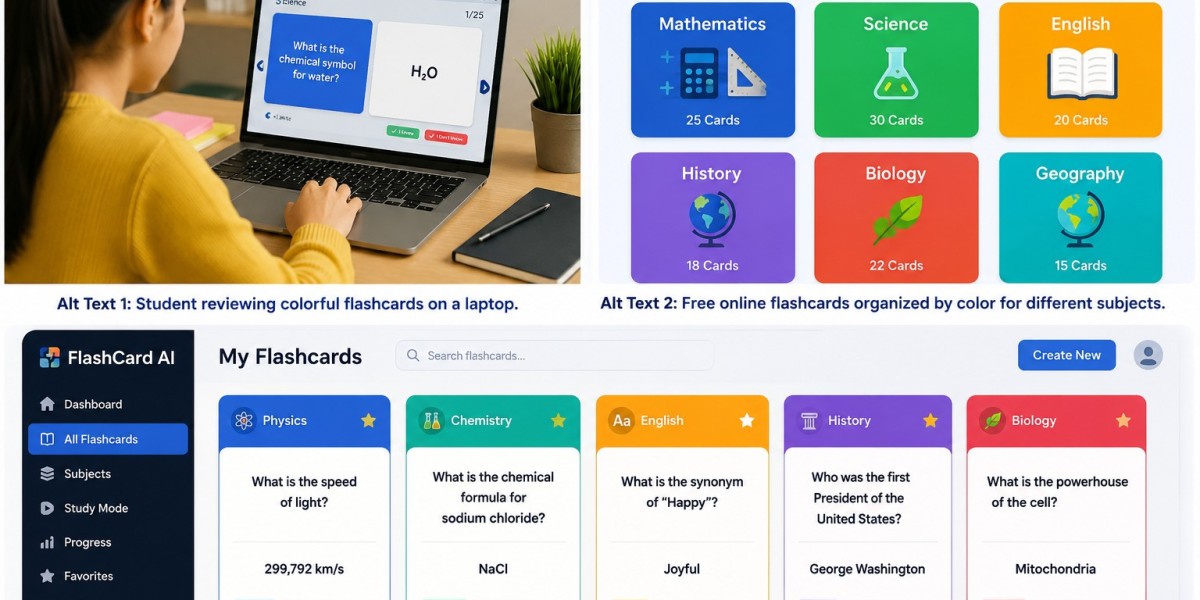
Templates can also include subject labels or color categories. For example:
Blue for definitions
Green for examples
Yellow for important facts
Red for difficult questions
This system is especially useful when managing large collections of learning materials.
3. Supports Better Memory Practice
Flashcards are useful because they encourage learners to remember information before checking the answer. This technique is known as active recall.
A template makes it easier to create cards that follow this method. Write a clear question on the front and a short answer on the back. During revision, try to answer the question from memory before turning the card over.
For better results, review difficult cards more frequently and revisit familiar information over time.
4. Makes Learning Suitable for Different Subjects
A flashcard layout can be adapted to many subjects and learning goals.
Examples include:
Languages: Words, meanings, translations, and example sentences
Science: Definitions, processes, diagrams, and key facts
Mathematics: Formulas, rules, and problem-solving steps
History: Dates, people, events, and timelines
Computer science: Programming terms, commands, and concepts
Business: Important terms, models, and principles
Students can adjust the design according to the information they need to learn. A vocabulary card may require only a word and definition, while a mathematics card may need a formula and worked example.
5. Helps Students Create Cards Online
Digital learning tools make it possible to prepare and organize cards without printing paper materials. Students who want to create flashcards online can explore platforms that offer digital card creation, editing, and review features.
Depending on the service, digital cards may be accessible across supported devices and easier to update than handwritten cards.
FlashCard AI is one digital learning brand to explore when considering flashcard-based study. Check its current features and plans to see whether they meet your requirements.
6. Makes Revision More Convenient
A consistent template helps students review information in short sessions. They can select a group of cards, test themselves, and identify topics that need additional practice.
Digital templates may also be easier to store and reuse. Printed templates, meanwhile, can be useful for learners who prefer writing by hand or studying without a screen.
Both options can work well when the cards contain clear questions and accurate answers.
7. Encourages Independent Learning
Students can use templates to prepare their own study materials and practice without always needing help from a teacher or study partner.
By creating cards from class notes, learners must identify the most important ideas. They can then test their understanding and focus on concepts they find difficult.
This process encourages a more active approach to studying. It also helps students build a repeatable revision routine.
How to Create an Effective Flashcard Template
Creating a useful template does not require advanced design skills. Follow these simple steps.
Step 1: Choose Your Subject
Decide what you want to study, such as vocabulary, science definitions, formulas, or historical facts. Knowing the subject helps you choose the right layout.
Step 2: Select a Simple Design
Use a clear format with enough space for a question and answer. Avoid unnecessary decorations that make the information difficult to read.
Step 3: Add One Main Question
Each card should focus on one concept. For example:
Front: What is evaporation?
Back: The process by which a liquid changes into a gas.
Short questions and answers make revision easier.
Step 4: Add Helpful Visuals When Needed
Pictures, symbols, or diagrams can help explain some topics. They are especially useful for anatomy, geography, science, and visual vocabulary learning.
Only add visuals that support understanding.
Step 5: Test the Template
Create a few cards and use them during a study session. If the questions are confusing or the answers do not fit, adjust the layout before making more cards.
Step 6: Choose Paper or Digital Cards
Paper templates are easy to print and use by hand. Digital templates can be convenient for storing, editing, and reviewing cards online. You can explore FlashCard AI and other tools to find an option that suits your learning routine.
Frequently Asked Questions
1. What is a flashcard template used for?
It provides a ready-made layout for organizing questions and answers. Students use templates to create learning cards for vocabulary, definitions, formulas, facts, and other concepts.
2. Can I create flashcards online for free?
Some online platforms offer free flashcard creation features. However, available tools, usage limits, and account requirements vary, so check the terms of each service.
3. What should a good flashcard template include?
A basic template should have space for a question or term on the front and an answer or explanation on the back. Optional images, examples, and topic labels can be added when useful.
4. Are digital flashcards better than paper flashcards?
Both formats can be effective. Paper cards are simple and hands-on, while digital cards can be easier to store, edit, and access on supported devices. Choose the format that suits your preferences.
5. How many questions should I put on one flashcard?
Ideally, use one main question or concept per card. This keeps the information focused and makes it easier to test your memory.
6. Can FlashCard AI help with flashcard learning?
FlashCard AI is a digital learning brand worth exploring for flashcard-based study. Check its current features to determine whether they support your preferred subjects and learning needs.
7. How often should I review flashcards?
Review your cards regularly in short sessions. Spend more time on difficult questions and revisit familiar information over time to reinforce learning.
Conclusion
A flashcard template provides a simple way to organize learning materials and create consistent study cards. It can save preparation time, support active recall, and make revision easier across many subjects.
Start with a clear layout, write one question per card, and keep answers short. Whether you use printed templates or create flashcards online with a suitable digital tool, regular practice is essential. You can also explore FlashCard AI to see whether its available features fit your learning routine.
A well-designed template does not need to be complicated. It simply needs to help you focus on the information that matters.
For more detail visit:https://phat4life.mn.co/posts/powerful-ways-a-flashcard-template-can-make-studying-easier