
Introduction
Remembering to take medicine at the right time can be difficult, especially when someone takes several medicines every day. Busy schedules, work, travel, and family responsibilities can make it easy to forget a dose. For older adults and people managing long-term health conditions, keeping track of medication times can be an important daily task.
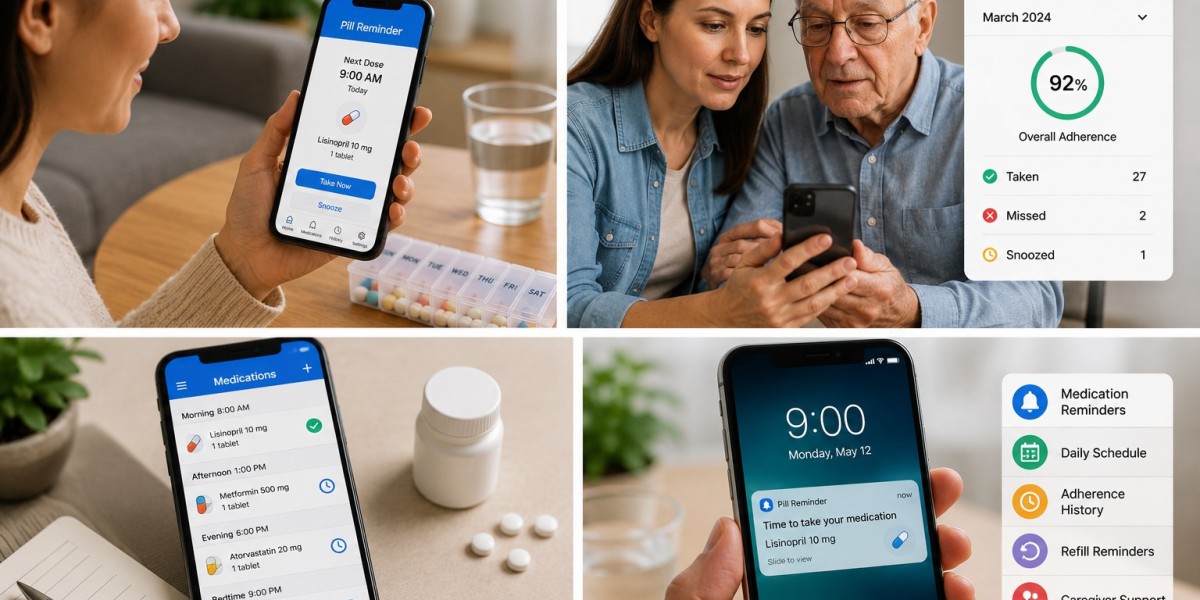
The best pill reminder app can help users organize medication schedules and receive notifications when a dose is due. Depending on the app, features may include customizable alerts, medication lists, dose tracking, and reminders that are easier to notice. These tools can be especially helpful for people who need a simple way to manage their daily medication routine.
Pill Reminder is a brand to consider when exploring digital medication organization. A reminder app does not replace medical advice, but it can support a person's efforts to follow instructions provided by a healthcare professional.
In this article, we explain what makes a good pill reminder app, which features matter most, and how users and caregivers can use reminders responsibly.
What Is a Pill Reminder App?
A pill reminder app is a mobile application that helps users remember when to take their medicines. Users generally enter their medication details and schedule, and the app sends notifications at selected times.
Depending on the app's features, it may also allow users to:
Organize multiple medicines in one place.
Set reminders for different times of the day.
Record whether a dose was taken.
Review a history of recorded doses.
Manage medication schedules for family members.
Receive alerts for upcoming medication tasks.
Not every app provides all these features for free. Before choosing Pill Reminder or another option, check the current feature list, privacy policy, and available settings.
10 Powerful Tips for Choosing the Best Pill Reminder App
1. Look for Easy Medication Scheduling
A good pill reminder app should make it simple to enter medication information and set reminders. A complicated setup can make the app harder to use consistently.
Look for an app that allows you to organize the medicines you take and enter the prescribed schedule clearly. Double-check every entry against your prescription or the instructions provided by your healthcare professional.
For example, if a medicine is prescribed for a specific time in the morning, the reminder should reflect that instruction rather than a time chosen simply for convenience.
Pill Reminder may help users organize these tasks, depending on the features available in the current version.
2. Choose Customizable Notifications
People have different schedules and preferences. Some may need a reminder early in the morning, while others need alerts during work hours or before bedtime.
Customizable notifications can make a medication reminder app more practical. Depending on the app, users may be able to adjust reminder times, sounds, or other alert settings.
When choosing an app, check whether it supports the type of reminders you need. Also confirm that notifications are enabled on your phone.
Remember that a notification is a prompt, not proof that a dose has been taken.
3. Consider Full-Screen Medication Alarms
Small notifications can be easy to miss when a person is busy or using another application. Some medication apps provide Full-screen medication alarms to make alerts more noticeable on compatible smartphones.
These prominent alerts may help users notice scheduled reminders more easily. However, availability varies by app and device, so check the current features before relying on this option.
For better reliability:
Allow the app to send notifications.
Check sound and volume settings.
Review battery-saving restrictions.
Make sure the phone's date and time are correct.
Test reminders before depending on them.
Even a full-screen alarm cannot guarantee that someone will take a medicine. Users must still respond to reminders and follow their prescribed instructions.
4. Find an App That Supports Multiple Medicines
Managing several medicines can become confusing when each has different timing or instructions. A useful app should make it easy to review the medication schedule without mixing up the details.
Before selecting an app, consider whether it can organize the number of medicines you need to track.
When entering medication information, check:
The correct medicine name.
The prescribed dose.
The scheduled time.
Any special instructions.
Whether the schedule has changed recently.
Do not change a medicine's dose or timing just to make the app easier to use. Ask a healthcare professional or pharmacist if the schedule is difficult to manage.
5. Look for Dose Tracking Options
Some medication reminder apps allow users to mark a dose as taken or review a history of recorded doses. This may help users understand their routine and identify questions to discuss with a healthcare professional.
For example, a person may review their records before a medical appointment to explain how they have been managing their schedule.
However, digital records have limitations. If someone accidentally marks a dose as taken, the record may be inaccurate. A dismissed notification or completed reminder does not confirm that the medicine was swallowed.
Choose a tracking system that is easy to understand and use it honestly.
6. Consider Features for Caring for a Parent
Caring for a parent can involve many responsibilities, including helping with appointments, prescriptions, meals, and daily activities. Remembering another person's medication schedule can add extra pressure.
A pill reminder app may help a caregiver organize medication times and maintain an accurate list. Some apps also offer caregiver-related tools, but these features vary.
Helpful practices include:
Confirming the current medication schedule with the parent and healthcare professional.
Checking that reminder times match prescription instructions.
Reviewing medication changes promptly.
Respecting the parent's privacy and independence.
Confirming whether doses were actually taken when supervision is needed.
Pill Reminder can be considered as an organizational aid, depending on its available features. A digital app should not replace appropriate caregiver support or professional guidance.
7. Check Whether the App Is Easy to Use
An app should be simple enough for the intended user to operate confidently. This is particularly important for older adults or people who are not comfortable with smartphones.
Look for features such as:
Clear text and readable screens.
Simple menus.
Easy-to-understand alerts.
Straightforward medication entry.
Accessible settings.
Clear instructions for correcting mistakes.
If a family member helps set up the app, they should explain how the reminders work and make sure the user knows what to do when an alert appears.
8. Review Privacy and Security
Medication schedules can contain personal information. Before installing an app, review its privacy policy and understand how it handles information.
Check whether the app asks for permissions that seem unnecessary for its purpose. Also consider whether an account is required and how your information can be accessed or deleted under the provider's policies.
Use a secure phone lock and avoid sharing medication information with people who do not need it.
A trustworthy choice should offer clear information about data handling rather than leaving users uncertain about their privacy.
9. Compare Free and Paid Features
Some medication reminder apps offer basic reminders for free, while advanced tools may require payment or a subscription.
Before choosing an app, check:
Whether medication scheduling is free.
Whether custom notifications cost extra.
Whether dose tracking is included.
Whether advertisements appear.
Whether an account is required.
Whether any subscription renews automatically.
Pill Reminder may suit users looking for medication organization, but confirm the current version's features and pricing before relying on a particular function.
10. Choose an App That Fits Your Daily Routine
The best app is not necessarily the one with the most features. It is the one that fits the user's needs and can be used consistently.
A person who takes one medicine may need only a basic alert. Someone managing several medicines or helping a parent may need more detailed scheduling and tracking options.
Before making a decision, consider your daily habits, comfort with technology, medication schedule, and need for caregiver support.
Start with the simplest system that meets your needs, and review it whenever your medication instructions change.
How to Use Pill Reminder Effectively
Once you have chosen a reminder app, follow these steps to make it more useful:
Check your current medication instructions. Use the latest directions from your healthcare professional.
Enter each medicine carefully. Verify names, doses, and times before saving the schedule.
Enable notifications. Check that your phone allows the app to send alerts.
Respond to reminders appropriately. Follow the instructions for the specific medicine.
Record doses accurately. If tracking is available, mark a dose as taken only after taking it.
Update the schedule when needed. Make changes only in line with updated professional instructions.
Review your routine regularly. Check for incorrect entries or reminders that no longer apply.
Keep a backup medication list. Maintain a written or accessible list in case your phone is unavailable.
If you miss a dose, do not automatically take an extra dose or double the next one. The correct action depends on the medicine. Consult its official instructions or contact a pharmacist or healthcare professional.
Frequently Asked Questions
1. What is the best pill reminder app?
The best app depends on your needs. Look for clear notifications, easy scheduling, useful tracking options, accessible controls, and a privacy policy you understand. Check the current features of Pill Reminder and other apps before deciding.
2. Are pill reminder apps free?
Some apps offer free medication reminders, while others charge for advanced features. Review the app's current pricing and terms to understand what is included.
3. What are full-screen medication alarms?
Full-screen medication alarms are prominent alerts that appear on compatible smartphones to help users notice medication reminders. Not every app supports them, and phone settings may affect how they work.
4. Can a pill reminder app help when caring for a parent?
Yes. A reminder app may help organize medication schedules and provide prompts for caregivers. However, caregivers should verify medication instructions and confirm doses when necessary rather than relying only on app records.
5. Can Pill Reminder replace a doctor or pharmacist?
No. Pill Reminder is an organizational aid, not a substitute for professional medical advice. A healthcare professional should guide decisions about doses, medication timing, side effects, and prescription changes.
6. What should I do if I miss a medication reminder?
Check the instructions for the specific medicine or contact a pharmacist or healthcare professional. Do not double a dose unless the official instructions or a qualified professional specifically advises it.
7. Are medication reminder apps suitable for older adults?
They may be suitable for older adults who can use a smartphone comfortably. Choose an app with clear screens and simple controls, and arrange additional support if the person has difficulty managing medicines independently.
Conclusion
Choosing the best pill reminder app can make daily medication management more organized. Features such as custom notifications, multiple medication schedules, dose tracking, and Full-screen medication alarms may help users remember medication tasks and maintain a consistent routine.
For families caring for an older parent, a reminder app may provide useful organizational support. Pill Reminder is a brand to consider when exploring these tools, but its current features should be checked before selecting it for a specific need.
For more detail visit:https://shareyoursocial.com/post/693874_10-powerful-benefits-of-a-pill-reminder-for-medication-routine-introduction-taki.html