
If you are comparing the biometric attendance machine price in Lahore, it is important to consider more than just the initial purchase cost. A suitable attendance system can help businesses, schools, offices, factories, and other organizations maintain accurate employee records, reduce manual attendance work, and simplify staff management.
Biometric attendance machines are available in different models, including fingerprint, facial recognition, and combined biometric systems. Their prices depend on recognition technology, employee capacity, connectivity, software compatibility, and additional features.
What Is a Biometric Attendance Machine?
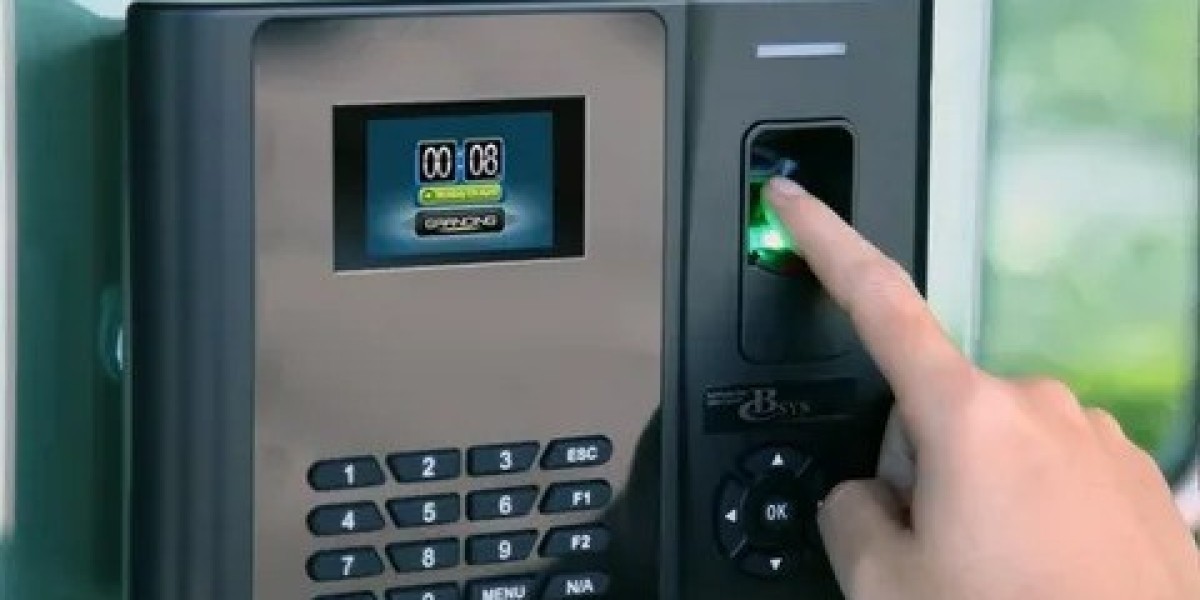
A biometric attendance machine is an electronic device that records employee check-in and check-out times using unique identification features. Depending on the model, employees can verify their attendance through fingerprints, facial recognition, or other supported methods.
The recorded data can be downloaded or transferred to compatible attendance software. This allows HR departments and business owners to review working hours, late arrivals, absences, and attendance reports.
Biometric Attendance Machine Price in Lahore
The price of a biometric attendance machine in Lahore varies according to its features and brand. The following are indicative market prices for commonly available models and categories:
| Machine Type / Model | Approximate Price |
|---|---|
| Basic fingerprint machine | Rs. 10,000–20,000 |
| ZKTeco K40 / K50 | Rs. 16,000–24,000 |
| ZKTeco MB20 | Rs. 16,000–28,000 |
| ZKTeco MB360 | Rs. 33,000–40,000 |
| ZKTeco MB40 | Rs. 46,000–49,000 |
| ZKTeco uFace800 | Rs. 58,000–70,000 |
| Advanced face and fingerprint systems | Rs. 70,000–85,000+ |
These figures are indicative examples from available Pakistani listings, not fixed quotations. Actual prices may vary with stock, supplier, warranty, software, installation, and model configuration.
Popular Types of Biometric Attendance Machines
1. Fingerprint Attendance Machines
Fingerprint machines are a common option for small and medium-sized organizations. Employees register their fingerprints, which are then used to record attendance.
Common advantages include:
Straightforward employee verification.
Suitable for routine office attendance.
Digital attendance records.
Options for USB or network connectivity.
Generally lower purchase costs than advanced biometric terminals.
Models such as ZKTeco K40 and K50 are examples of fingerprint-based attendance devices.
2. Face Recognition Attendance Machines
Face recognition systems identify employees through facial features. Employees do not need to touch a fingerprint sensor, making these systems useful for workplaces where touchless verification is preferred.
Depending on the model, features may include facial recognition, camera-based verification, network connectivity, and attendance reporting.
3. Face and Fingerprint Combination Machines
Combination devices support more than one verification method. Employees may use facial recognition or fingerprints depending on the device configuration.
These machines can be useful for organizations with larger teams or different workplace requirements. Models such as ZKTeco MB20, MB360, and uFace800 are examples of devices in this category.
Factors That Affect Biometric Machine Prices
Before purchasing a biometric attendance system, consider the following factors:
Employee Capacity: Check how many employees and biometric records the device can store. A small office may need less capacity than a factory or large institution.
Recognition Technology: Fingerprint-only devices are generally more affordable, while face and multi-biometric terminals can cost more.
Connectivity: USB, Wi-Fi, and TCP/IP connectivity options affect how attendance records are transferred and managed.
Software Compatibility: Make sure the machine works with the attendance or HR software your organization intends to use.
Storage Capacity: Consider how many attendance transactions the device can retain before records need to be transferred.
Warranty and Support: Ask about the warranty period, technical assistance, replacement policy, and availability of compatible accessories.
Benefits of Installing a Biometric Attendance System
A biometric attendance machine can improve everyday workforce management in several ways:
More organized records: Digital logs make it easier to review attendance history.
Reduced manual work: HR staff spend less time maintaining paper registers.
Better time management: Managers can identify late arrivals and attendance patterns.
Convenient reporting: Compatible software can generate attendance summaries.
Improved accountability: Individual verification helps maintain more reliable attendance records.
The overall benefits depend on correct installation, employee registration, device configuration, and regular data management.
How to Choose the Right Attendance Machine for Your Business
The best machine depends on your workplace size and operational needs.
For a small office, a basic fingerprint model may be sufficient. A school or medium-sized company may prefer a network-connected device with attendance reporting. A factory or organization with a large workforce may benefit from a higher-capacity system or a model that supports both face and fingerprint verification.
Before making a purchase, confirm:
The number of employees the machine can support.
Available fingerprint and face recognition options.
Whether the device supports USB, Wi-Fi, or TCP/IP.
Compatibility with your existing attendance software.
Installation requirements and warranty coverage.
Whether technical support is available after purchase.
Installation and Software Requirements
Buying the machine is only one part of setting up an attendance system. The device must be installed in an accessible location, connected properly, and configured according to the organization's requirements.
Employee fingerprints or facial profiles must be registered before the system can record attendance. If the organization uses attendance or payroll software, compatibility should be confirmed before purchasing the device.
A reliable power supply and appropriate network setup can also help maintain smooth operation. Organizations should regularly export or back up attendance records to avoid losing important information.
Final Thoughts
Choosing the right biometric attendance machine requires balancing price, employee capacity, recognition technology, and software compatibility. Businesses in Lahore can compare fingerprint, facial recognition, and combination models before selecting a system that matches their daily attendance requirements. For more useful business information and community articles, explore The-Villages.org.