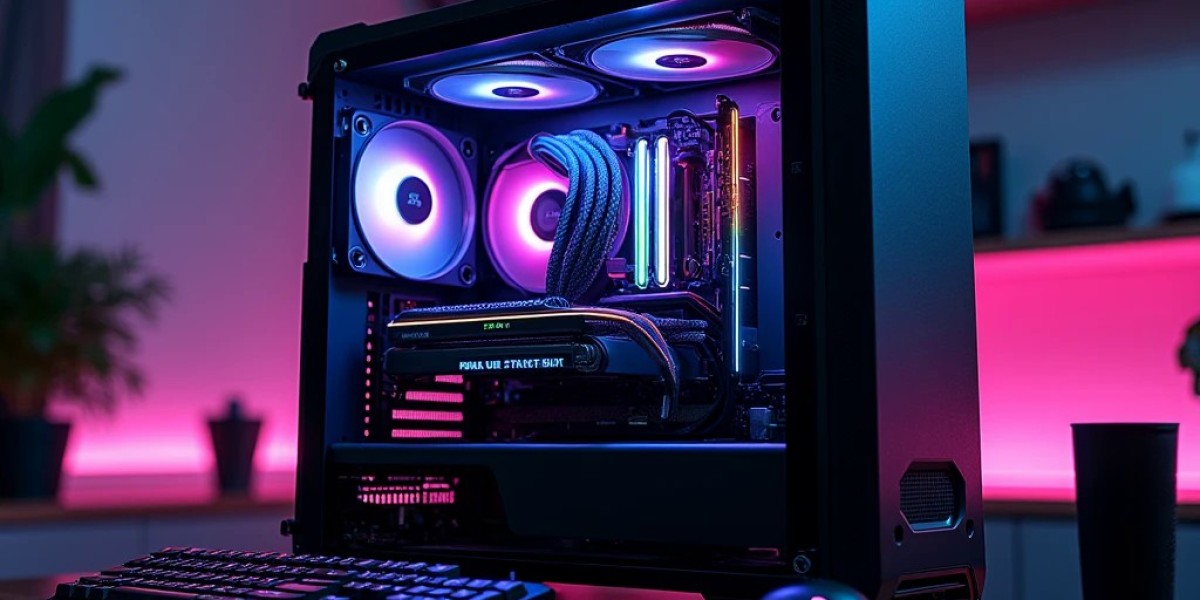

Choosing a high-end gaming computer is a major investment, so every component should have a clear purpose. The graphics card may attract the most attention, but the processor, motherboard, cooling, memory, and power supply determine how effectively the complete system works. Some users want a machine for demanding games, while others need enough computing power for video production, 3D design, and professional applications.
An RTX 5090 PC brings these interests together by offering advanced graphics hardware for users with demanding performance expectations. Understanding its capabilities before purchasing can help you create a setup that is powerful, practical, and suitable for long-term use.
Why the RTX 5090 Stands Out in a High-End Build
The NVIDIA GeForce RTX 5090 uses the Blackwell architecture and includes 32GB of GDDR7 video memory. This combination makes it a significant option for users who work with detailed graphics, high-resolution assets, and demanding rendering tasks.
Its large VRAM capacity can be useful when games load detailed textures or professional applications process complex visual projects. It also supports modern graphics technologies, including ray tracing and DLSS. Ray tracing produces more realistic lighting, reflections, and shadows, while DLSS uses AI-based techniques to improve image quality and performance in supported applications.
Frame generation features can increase displayed frame rates in compatible games. However, generated frames are not identical to frames rendered directly by the GPU, and they do not remove input latency. For this reason, it is important to evaluate the overall gaming experience rather than judging performance by one frame-rate figure.
Gaming Performance Depends on More Than the GPU
A powerful graphics card is only one part of the gaming experience. Your processor, display, game settings, and software all influence the results.
For users interested in 4K gaming, the RTX 5090 provides a high-end graphics foundation. It is also worth considering for demanding ray-traced games and titles with detailed environments. However, actual performance varies between games, and some settings can create a much heavier workload than others.
The processor becomes particularly important in games that rely heavily on CPU calculations. Competitive titles targeting high refresh rates may place considerable demands on the CPU, even when the graphics card has substantial processing power.
Before buying, look for independent benchmarks that match your preferred games, resolution, and settings. This gives you a more realistic idea of what to expect from the complete system.
Select a CPU That Complements the Graphics Card
A balanced processor choice helps prevent the rest of the computer from limiting performance. Modern AMD Ryzen 9 and Intel Core Ultra or Core i9-class processors are options worth researching for a premium configuration. The specific generation and model should depend on your workload and budget.
For gaming, strong single-core performance can be important in titles that rely on fast individual processing tasks. For video editing, 3D rendering, and multitasking, additional cores and processing resources may be more valuable.
If gaming is your main priority, you do not necessarily need the most expensive workstation-oriented CPU. If you regularly use demanding creative software, a higher-tier processor may justify its cost. Also check motherboard socket compatibility, BIOS support, and available expansion connections before choosing your components.
Use the Right Memory Configuration
The RTX 5090 has 32GB of dedicated video memory, but that does not replace system RAM. These memory types perform different jobs.
System RAM supports the operating system, games, browser tabs, editing software, and other running applications. For a premium gaming setup, 32GB is a reasonable starting point. Users working with large video timelines, complex 3D scenes, or multiple professional applications may find 64GB more suitable.
Memory compatibility matters as much as capacity. Choose a kit supported by the motherboard and processor, and check the recommended configuration before purchasing. Installing compatible memory in the correct motherboard slots helps the system operate as intended.
Storage Planning for Large Games and Creative Projects
Modern games and professional applications can occupy substantial storage space. A fast NVMe SSD is a practical choice because it provides responsive file access and can reduce loading times.
A 2TB SSD may provide a useful starting capacity for someone with several large games and applications. However, users who keep extensive video footage, project files, or media libraries may need additional drives.
Think about how you organise your files. You could use a fast primary SSD for the operating system and frequently used applications, then add another drive for games and project storage. Before purchasing, confirm the motherboard has enough M.2 slots and supports your preferred storage arrangement.
Build a Reliable Power and Cooling Setup
High-performance hardware needs dependable power delivery and proper thermal management. The exact power supply should be selected using the manufacturer's requirements for your chosen RTX 5090 model and the complete system.
Check the PSU's recommended capacity, connector type, cable compatibility, and quality. Do not assume every graphics card model has identical power requirements. A reliable power supply from a reputable manufacturer is a better long-term choice than selecting a unit based on price or wattage alone.
Cooling also deserves careful planning. The graphics card needs enough physical space and airflow, while the processor requires a cooler suited to its power and workload. A quality air cooler or appropriately sized liquid cooling system can be suitable depending on the processor and case.
Good ventilation, sensible fan placement, and accessible dust filters make ongoing maintenance easier. Check the graphics card's length and thickness before choosing a case, especially when using a large radiator or additional cooling fans.
Choose a Monitor for Your Gaming Style
A premium computer should be paired with a display that makes sense for its intended use. A 4K monitor is worth considering for users who value sharp images and detailed environments. A high-refresh-rate display may be more suitable for competitive gaming, where smooth motion and responsiveness are important.
Also consider panel technology, colour accuracy, contrast, and connectivity. If you use the same computer for gaming and creative work, colour reproduction may be an important part of your decision.
There is no need to buy the most expensive monitor automatically. Choose one that matches your preferred games, applications, desk space, and budget.
Where to Compare Premium Gaming PCs in the UAE
When comparing high-performance computers, examine the complete specification instead of focusing only on the graphics card. A well-planned system should include a compatible motherboard, capable processor, suitable memory, reliable storage, effective cooling, and a quality power supply.
Budget Gamer offers gaming PCs, custom configurations, and hardware options for different requirements in the UAE. When exploring a ready-made or custom system, ask for exact component models, warranty information, and upgrade options. This helps you compare configurations fairly and understand whether the price reflects the hardware included.
It is also sensible to confirm the system's dimensions, cooling arrangement, and power requirements before ordering. These details can prevent compatibility problems and make future maintenance easier.
Frequently Asked Questions
1. What are the main specifications of the RTX 5090?
The NVIDIA GeForce RTX 5090 is based on the Blackwell architecture and features 32GB of GDDR7 video memory. It supports modern graphics technologies, including ray tracing and DLSS.
2. Is the RTX 5090 suitable for gaming and video editing?
It can support both activities, provided the applications are compatible with its features. Gaming performance depends on the title and settings, while editing performance also depends on the processor, system RAM, storage, and software.
3. How much system RAM should a premium gaming PC have?
32GB is a sensible starting point for many gaming users. A 64GB configuration may be more appropriate for demanding creative workloads, large projects, or extensive multitasking.
Conclusion
Building a premium computer requires careful coordination between every component. The graphics card, processor, memory, storage, cooling, and power supply should all be selected according to the same performance goals. An RTX 5090 PC can be a compelling choice for enthusiasts who want advanced gaming capabilities alongside support for demanding creative applications. By checking compatibility, comparing independent benchmarks, and choosing hardware that suits your actual workload, you can make a more informed investment in a powerful and dependable system.