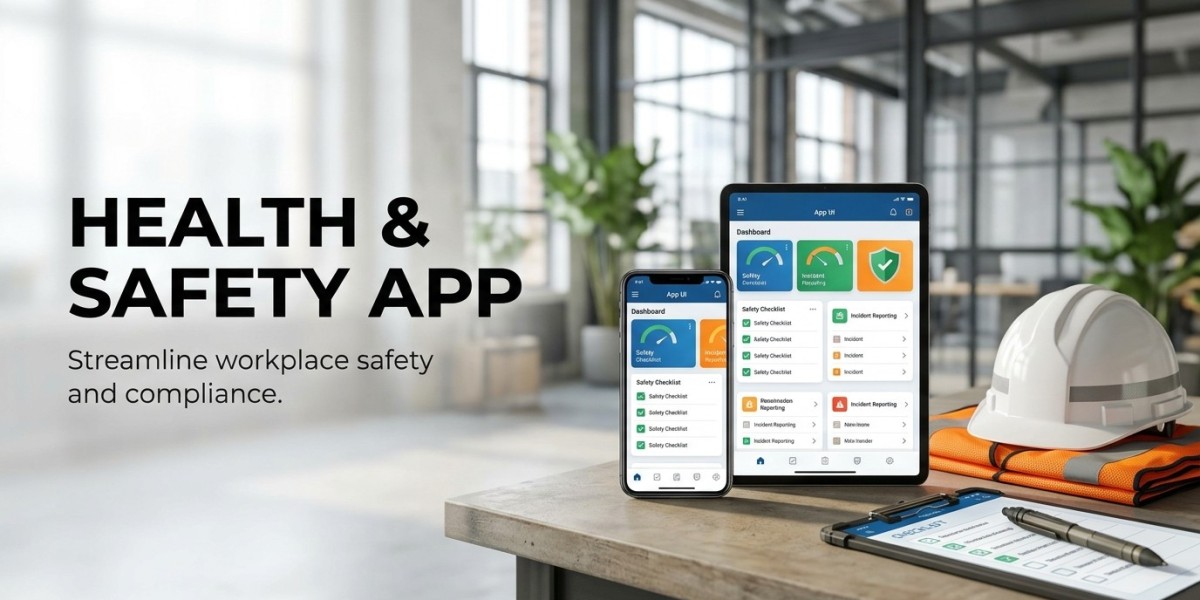

Protecting employees requires businesses to identify workplace hazards, communicate safety instructions, and respond quickly when problems occur. However, managing these responsibilities becomes more difficult when workers are spread across different departments, buildings, or job sites. A Health and Safety App gives employees and safety teams a convenient way to access safety information, report hazards, and manage important tasks through their mobile devices. Instead of depending entirely on paper forms or office-based systems, businesses can use mobile technology to make safety information available where the work actually happens.
Mobile solutions are particularly useful for industries such as construction, manufacturing, logistics, healthcare, and facility management. Employees in these environments may need to report an unsafe condition or check a safety procedure while working away from their desks. With the right features, a mobile application can support faster communication and help organizations manage workplace risks more consistently.
1. Faster Hazard Reporting From Any Location
One of the most useful features of mobile safety solutions is the ability to report hazards directly from the workplace.
In traditional reporting processes, employees may have to find a supervisor, complete a paper form, or wait until they return to the office. These steps can delay important information, especially when workers operate across large sites.
A mobile application allows employees to submit a report using their smartphones. They can describe the problem, select its location, and attach photographs to explain what they have found.
For example, a warehouse employee who notices damaged shelving can report the issue immediately. The safety team can review the report, assess the risk, and arrange the required action.
A useful hazard reporting feature should include:
Simple digital reporting forms
Photograph and document attachments
Location details
Hazard categories and priority levels
Report submission confirmation
Status updates for submitted reports
A 2026 study published in Studies in Health Technology and Informatics described a mobile application called Risk Alert that allowed users to submit hazard details, locations, and photographs. Its reporting process took an average of approximately 1.14 minutes in the reported test. This illustrates how a straightforward mobile reporting process can reduce the effort involved in recording workplace hazards.
2. Real-Time Incident Tracking and Notifications
Reporting an incident is only the beginning. Businesses also need to investigate what happened, assign responsibilities, and make sure corrective actions are completed.
Mobile safety applications can help teams follow incidents from the initial report through investigation and resolution.
For example, if an employee reports a minor injury at a construction site, the responsible safety officer can receive a notification and review the submitted information. The officer can then record investigation findings, assign corrective actions, and update the incident status.
Incident Tracking features may include:
Incident submission and classification
Automatic notifications
Investigation records
Assigned responsibilities
Corrective action deadlines
Case status updates
Incident history
These features help managers identify unresolved cases and avoid losing important information between departments.
Employees can also receive updates when appropriate, so they know that their reports have been reviewed. This can encourage workers to continue reporting unsafe conditions rather than assuming their concerns will be ignored.
3. Mobile Risk Assessments and Safety Checklists
Risk assessments are an essential part of Workplace Safety Management. Businesses need to identify potential hazards, evaluate their risks, and introduce suitable control measures.
Mobile applications can make this process easier by providing digital forms that safety officers and supervisors can complete during site visits.
For example, a supervisor inspecting a manufacturing area can use a mobile checklist to review machine guards, electrical connections, walkways, and protective equipment.
A mobile risk assessment feature may support:
Hazard descriptions
Likelihood and severity ratings
Risk classification
Recommended control measures
Photographic evidence
Review dates
Responsible employee details
The information can be stored in a central system, making it easier for managers to review assessments and compare findings.
However, an application does not replace professional judgment. Employees and safety officers still need appropriate knowledge to recognize hazards and select suitable control measures.
4. Emergency Alerts and Employee Communication
During an emergency, employees need clear instructions without unnecessary delays. Mobile solutions can help organizations communicate important safety information to workers across different locations.
Depending on the application, businesses can send alerts about:
Fire emergencies
Chemical spills
Severe weather conditions
Equipment failures
Evacuation instructions
Temporary workplace restrictions
For example, if a fire alarm is activated in a facility, an authorized safety manager may use the system to share an emergency notification with employees and provide relevant instructions.
Some applications may also support emergency contact information, evacuation procedures, and location-based alerts.
Businesses should remember that mobile notifications must complement established emergency systems. A smartphone application should never replace fire alarms, emergency communication equipment, or formal evacuation procedures.
5. Digital Safety Training and Easy Access to Instructions
Employees need access to safety information that relates to their daily responsibilities. However, printed manuals and occasional training sessions may not always provide the information workers need at a particular moment.
A mobile safety application can make important instructions available through a smartphone or tablet.
Depending on the platform, employees may access:
Safety procedures
Equipment operating instructions
Short training videos
Emergency guidelines
Personal protective equipment instructions
Training schedules and reminders
Safety quizzes and assessments
For example, a new employee working in a warehouse could review the company's material handling instructions through the application before starting an assigned task.
Mobile learning can also help businesses share updated procedures with employees working across different locations.
The content should be easy to read and relevant to the employee's role. For tasks that require practical skills, mobile learning should support rather than replace hands-on training and supervision.
6. Safety Inspections Through Mobile Devices
Regular inspections help organizations identify unsafe workplace conditions before they lead to injuries or operational problems.
Mobile applications allow inspectors to complete checklists while walking through a workplace. Instead of carrying paper documents, they can record findings directly through their devices.
For example, a safety officer visiting a construction site can inspect access routes, scaffolding, electrical equipment, and protective equipment.
Useful mobile inspection features include:
Customizable inspection checklists
Pass and fail responses
Photographic evidence
Notes and observations
Automatic inspection records
Corrective action assignments
Inspection history
Once an inspection is submitted, the responsible manager can review the findings and arrange any necessary repairs or improvements.
Digital records also help businesses identify repeated issues. If the same problem appears during several inspections, management can investigate whether existing safety controls are effective.
7. Location-Based Safety Support and Wearable Integration
Some workplaces cover large areas or involve employees working in isolated or potentially dangerous locations. Mobile technology can help businesses provide additional safety support in these environments.
Depending on the equipment and system design, location-based features may help authorized teams identify where employees are working or send alerts when someone enters a restricted area.
Mobile applications may also connect with compatible wearable devices and sensors.
For example, connected equipment may provide alerts related to:
High temperatures
Harmful gas exposure
Excessive noise
Restricted work areas
Worker inactivity or potential falls
The European Agency for Safety and Health at Work describes how smart digital systems, including mobile applications, wearables, and smart personal protective equipment, can help monitor occupational risks.
However, these technologies require careful planning. Location tracking and health-related monitoring can raise privacy concerns, so businesses should explain what information is collected, why it is needed, and who can access it.
8. Centralized Safety Records and Performance Reports
When safety information is stored in different files and departments, managers may struggle to get a clear picture of workplace conditions.
Mobile safety solutions can connect employee reports, inspections, incidents, and corrective actions to a central management system.
A reporting dashboard may show:
Total reported hazards
Open and resolved incidents
Completed inspections
Overdue corrective actions
Training completion records
Frequently reported safety issues
Department-level safety performance
For example, a company operating several warehouses can compare inspection findings across locations and identify where additional safety attention is required.
These reports help managers make decisions based on recorded information rather than relying only on occasional site visits.
Businesses should also remember that an increase in hazard reports does not automatically mean workplace safety is getting worse. It may indicate that employees have become more comfortable reporting concerns.
9. Supporting Employee Participation and Safety Culture
Technology can make reporting easier, but employees must feel that their participation matters.
A mobile application gives workers a direct way to share safety concerns, access procedures, and receive updates. This can help reduce communication gaps between employees, supervisors, and safety managers.
For example, an employee who notices a damaged electrical cable can submit a report without waiting for a scheduled inspection. The safety team can then review the concern and take appropriate action.
To encourage participation, businesses should:
Keep reporting forms short and simple
Explain how submitted reports are handled
Provide updates when concerns are resolved
Allow employees to raise near-miss reports
Train workers to use the application
Avoid discouraging reports through unfair blame
The International Labour Organization emphasizes worker participation and communication as important parts of occupational safety and health management. Mobile tools can support these activities, but they work best when management also listens to employees and responds to their concerns.
10. Data Security, Privacy, and Reliable Access
A mobile safety application may contain employee details, incident photographs, workplace locations, and investigation records. Businesses need to protect this information against unauthorized access or misuse.
Before adopting a mobile solution, organizations should review its security and privacy features.
Important considerations include:
Secure employee login
Role-based access permissions
Encrypted data transmission
Secure storage and backups
Access logs
Clear data retention rules
Privacy controls for location information
Reliable access is equally important. Employees working in remote areas or large industrial facilities may have limited internet connectivity. Offline reporting with later synchronization can help prevent important information from being lost.
Businesses should also provide suitable devices or access arrangements for employees who do not regularly use smartphones during work.
Choosing the Right Mobile Safety Solution
Not every organization needs the same mobile features. A small office may only require hazard reporting, emergency contacts, and inspection checklists. A construction company or manufacturing facility may need incident tracking, location-based alerts, training records, and integrations with a wider safety management platform.
Before selecting an application, businesses should consider:
Ease of use: Can employees submit reports without complicated steps?
Required features: Does the application support the company's actual workplace risks?
Integration: Can it connect with existing safety management software?
Offline access: Can employees record information where internet access is limited?
Data protection: Are employee information and incident records properly secured?
Reporting: Can managers track incidents and corrective actions?
Scalability: Can the application support additional employees and locations?
It is also worth testing the application with a small group of employees before introducing it across the organization. Their feedback can help identify usability problems and training needs.
Moving Towards Better Employee Protection
Mobile technology is giving businesses more practical ways to manage workplace risks and support employee protection. Features such as hazard reporting, incident tracking, mobile inspections, emergency alerts, and digital training can make safety information easier to access and help teams respond to concerns more efficiently.
A well-designed Health and Safety App should support the organization's wider safety procedures rather than replace them. Employees still need proper training, management support, suitable protective equipment, and regular workplace inspections.
When businesses combine these essential safety practices with reliable mobile solutions, they can improve communication, identify problems earlier, and give employees a more direct role in maintaining safer working conditions.