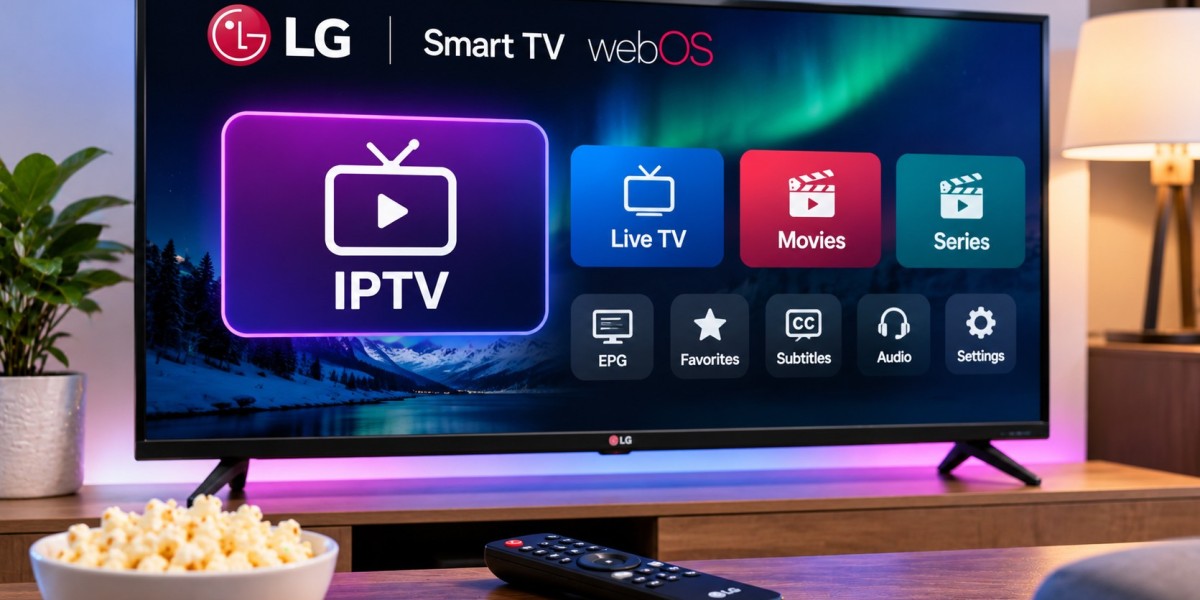

An LG Smart TV can be a convenient way to watch IPTV without adding another streaming box to the television. Many LG televisions run webOS, which provides access to streaming applications directly through the TV interface.
For viewers in Finland, the main challenge is usually not connecting the television to the internet. It is choosing an IPTV player that works with the particular LG model, supports the login format supplied by the service, and remains easy to use with a remote.
A little preparation before installation can prevent many of the problems people run into later.
How IPTV Works on an LG Smart TV
IPTV delivers television content through an internet connection.
The LG television does not automatically provide IPTV channels. Instead, users normally install a compatible IPTV player and add access details supplied by an IPTV service.
A basic setup usually involves:
An LG Smart TV connected to the internet
A compatible IPTV application
Playlist or login information
A stable network connection
Once configured, the application can organize available channels and other supported content inside a TV-friendly interface.
Check Which LG TV You Have
LG has released Smart TVs across many years, and software support can vary between models.
Most modern LG Smart TVs use webOS, but the exact webOS version depends on the television.
Before installing an IPTV player, check:
TV model number
Software version
Available storage
App availability in the LG Content Store
An application listed in an online tutorial may not necessarily be available on every LG television.
Regional availability can also differ.
Use the LG Content Store First
The safest place to look for compatible apps is the television's official app store.
Open the LG Content Store and search for an IPTV player.
Before installing one, review whether it supports the type of connection details supplied by your service.
Depending on the app, this may include:
M3U playlists
Xtream-style login
Portal-based access
Other supported playlist formats
There is little benefit in installing an application that cannot use the credentials you already have.
M3U Playlist Setup on LG TV
M3U is a common playlist format used by IPTV applications.
A service may provide a URL that points to the playlist.
The challenge on a Smart TV is entering that URL accurately.
Long addresses are difficult to type with a television remote, and a single incorrect character can prevent the playlist from loading.
Some IPTV applications solve this by providing a web-based management page. The user enters a device code or identifier on another device and uploads the playlist there.
If this method is available, it is usually more convenient than typing the complete URL manually.
Xtream-Style Login
Some LG IPTV players support a login method using separate details such as:
Server address
Username
Password
This can be easier than entering a long playlist URL.
After the information is accepted, the app may automatically organize available channels, movies, series, and programme information.
The exact result depends on the service and IPTV player.
Use the login method recommended by the provider instead of converting details unnecessarily.
Choosing an IPTV Player for LG webOS
A television app should be simple.
Features matter, but usability matters more when everything is controlled from the sofa with a remote.
Useful features can include:
Favorites
Large channel lists become easier to manage when frequently watched channels are saved separately.
Search
Search can save considerable time compared with scrolling through categories.
EPG Support
An Electronic Programme Guide can display current and upcoming programmes.
Subtitle Controls
Subtitle selection can be useful for Finnish, Swedish, English, and other international content.
Audio Track Selection
Some streams contain more than one audio language.
The player should make switching between them straightforward.
Keep the Interface Simple
A highly customizable IPTV player can sound attractive, but excessive menus may make everyday television harder to use.
Most viewers only need quick access to:
Live TV
Movies
Series
Favorites
Search
Programme guide
If the app makes these basic functions difficult to reach, another compatible player may be a better choice.
Wi-Fi or Ethernet?
LG Smart TVs commonly support Wi-Fi, and many models also include an Ethernet port.
Both can work for IPTV.
Wi-Fi
Wi-Fi is convenient and avoids additional cables.
It works best when the television receives a strong signal from the router.
Ethernet
Ethernet can provide a more consistent connection for a television that remains in one place.
It can be particularly useful when:
Wi-Fi frequently drops
The TV is near the router
Several devices share the wireless network
High-resolution streams buffer
If IPTV works well through Ethernet but struggles over Wi-Fi, the local wireless connection is probably worth improving.
Test the Connection Near the Television
Do not judge streaming performance only by the speed package purchased from the internet provider.
The important figure is the connection actually reaching the LG TV.
A router on the other side of the home may provide excellent internet to a laptop nearby but poor performance to the television.
If possible, test the network from the same room.
Pay attention to stability as well as speed.
Why IPTV May Buffer on LG TV
Buffering can come from several sources.
Possible causes include:
Weak Wi-Fi
Network congestion
High video resolution
Other devices using bandwidth
App performance
Stream-related problems
Older television hardware
Avoid assuming that every buffering issue is caused by the IPTV service.
Testing another streaming application on the same television can help narrow down the problem.
Compare With Another Device
A simple troubleshooting method is to test the same connection on another compatible device.
For example, if IPTV buffers on the LG TV but works normally on a laptop using the same network, the issue may involve the television app or hardware.
If both devices experience the same problem, the home internet connection deserves closer attention.
Changing one factor at a time makes troubleshooting much easier.
Keep webOS Updated
LG periodically releases firmware updates for supported televisions.
These updates may improve:
App compatibility
Security
Network behavior
System stability
Check the TV settings periodically for available software updates.
The IPTV application should also be kept current when updates appear in the LG Content Store.
Avoid Filling the TV With Unused Apps
Smart TVs do not have unlimited storage or processing power.
Installing many applications you never use can make the interface more cluttered.
Once you find an IPTV player that works well, remove unnecessary alternatives.
Keeping the setup simple also makes it easier to identify what went wrong if a problem appears later.
Use the Programme Guide
A good EPG can dramatically improve live television navigation.
Instead of seeing only a list of channels, users may be able to view:
Current programme
Next programme
Start and end times
Schedule information
When the guide is properly configured, browsing live TV becomes much quicker.
If the stream works but programme information does not appear, try refreshing the EPG rather than changing the entire IPTV setup.
Organize Finnish and Nordic Channels
Long IPTV playlists can contain content from many regions.
Favorites are useful for creating a smaller, more relevant list.
A viewer in Finland might organize preferred channels into groups such as:
Finnish TV
Swedish-language channels
Nordic entertainment
Sports
News
Movies
International channels
This reduces the amount of scrolling required every time the television is turned on.
Subtitle Support Is Worth Checking
For Finnish viewers, subtitle support can be particularly important.
Some programmes may be available in English or another language while providing Finnish or Swedish subtitles.
A suitable IPTV player should allow users to change subtitle tracks without navigating through complicated settings.
If a subtitle language is missing, remember that the player can only display subtitle tracks included in the source.
Changing applications cannot create subtitles that are not available.
Audio Language Can Also Vary
Some channels or programmes include several audio tracks.
A player may automatically choose one, but it may not always be the preferred language.
If the sound suddenly appears in another language, check the audio track menu.
Some applications also allow a default audio language to be selected.
LG TV Performance Changes With Age
A television can continue producing an excellent picture even after its smart platform starts feeling slow.
Older LG models may take longer to:
Open applications
Load large playlists
Move through EPG data
Switch between channels
This does not necessarily mean the television needs to be replaced.
An external streaming device can sometimes provide a faster smart platform while the TV continues to be used as the display.
When an External Device Makes Sense
If the LG Content Store no longer offers the IPTV application you need, or if the Smart TV interface has become slow, an external device may be worth considering.
Possible options include:
Android TV
Google TV
Fire TV
Apple TV
This can extend the useful life of an older television.
There is no need to add another device when the built-in LG app already performs well.
Protect Your IPTV Credentials
Playlist URLs, usernames, passwords, and account information should remain private.
Do not post complete credentials publicly when asking for troubleshooting help.
Only enter IPTV details into applications you trust.
Using apps obtained through official stores can reduce the risks associated with unknown modified software.
Check Compatibility Before Choosing a Service
A service may support many devices but use different setup methods on each platform.
Before subscribing, confirm that your LG television and preferred IPTV player are compatible with the supplied login format.
People researching IPTV for Finland can review Nordic One IPTV when comparing device support, IPTV setup options, and viewing possibilities across Smart TVs and other platforms.
Checking this first is easier than discovering after purchase that a preferred app does not support the necessary setup method.
Do Not Confuse Technical Compatibility With Content Rights
An IPTV stream working correctly on an LG television does not automatically determine whether the content is authorized for distribution.
Technical compatibility and content licensing are separate considerations.
When evaluating any IPTV service, users should consider both.
A Simple Setup Is Usually Better
An LG IPTV setup does not need to be complicated.
For most viewers, the essentials are:
One compatible IPTV application
Correct login or playlist details
Stable internet
Updated TV software
A manageable favorites list
Advanced settings should only be changed when there is a clear reason.
Final Thoughts
LG Smart TVs can provide a convenient IPTV experience when the television, application, login method, and network connection work well together.
Start by checking your webOS version and available applications. Choose a player that supports your credentials, organize favorite channels, use the EPG when available, and make sure the TV receives a stable internet connection.
If the built-in smart platform eventually becomes too slow or loses app support, an external streaming device can provide another option without replacing the television itself.
For most households, keeping the setup simple and troubleshooting one component at a time is the easiest way to maintain reliable IPTV viewing.